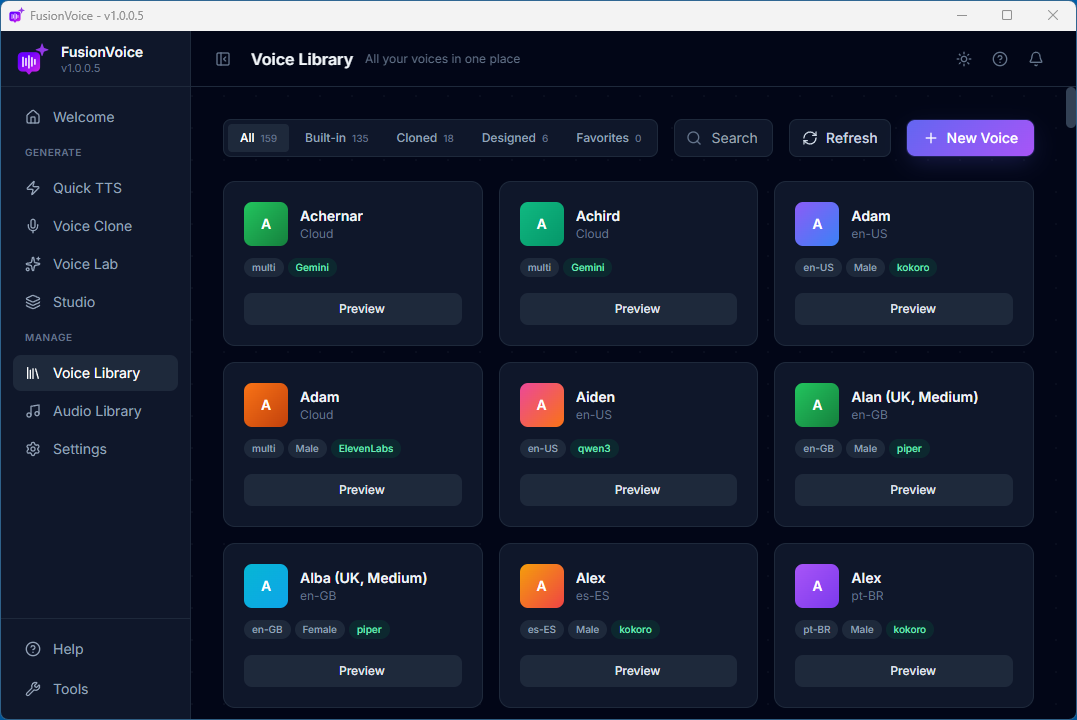
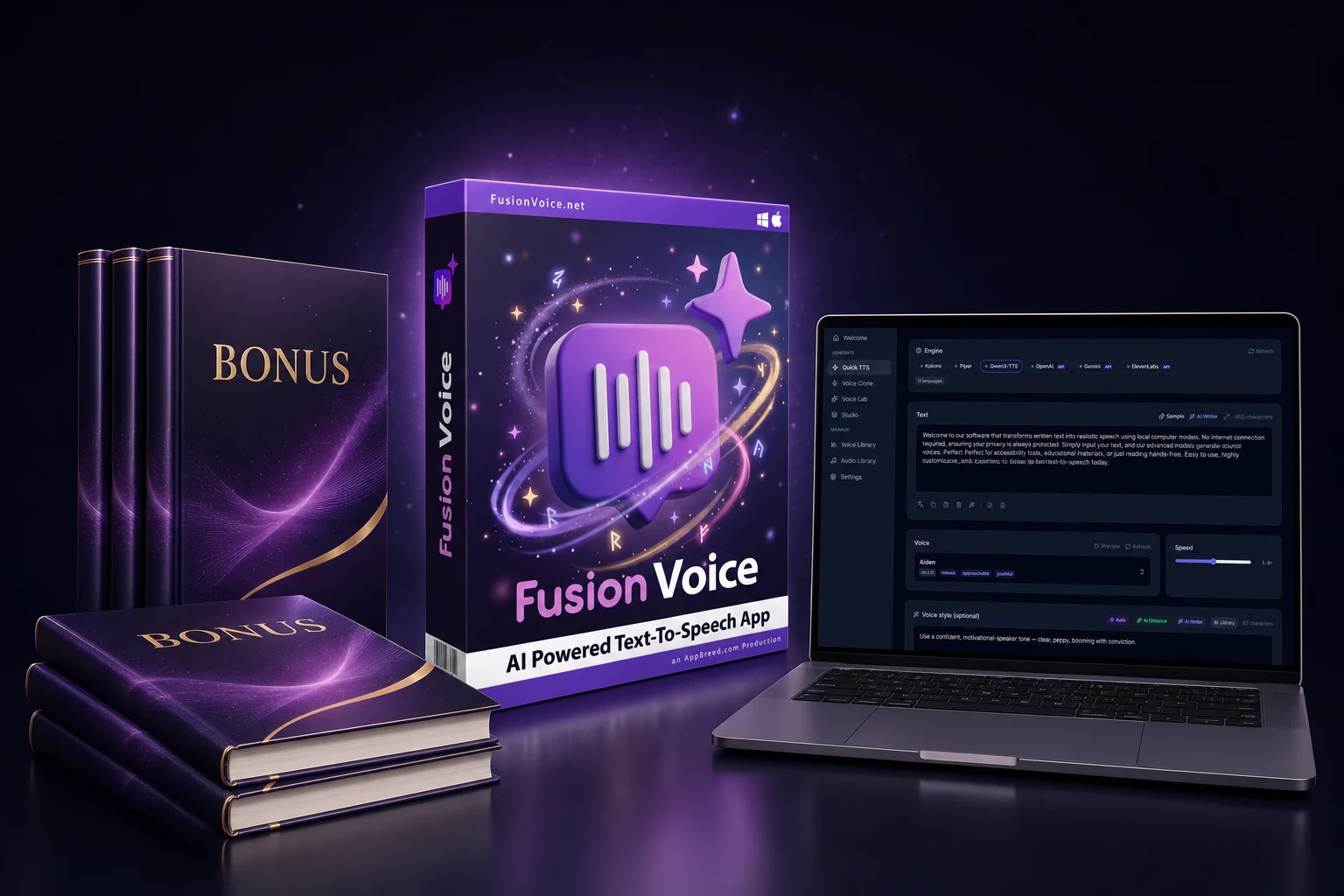
Generate, clone, design, and direct unlimited AI voices right on your own computer. Windows or Mac. Four free local engines built in, plus bring-your-own-key OpenAI, Gemini & ElevenLabs when you want premium polish. One payment. No subscription. No per-character billing.
✓5 tools in one app. Quick TTS, Voice Clone, Voice Lab, Studio & Audiobooks
✓7 voice engines. 4 free & local, 3 premium cloud on your own key
✓Runs locally & private, works offline; your clones never leave your machine
✓600+ languages with built-in translation & transcription
🚀 Phase 1 Rollout Price, Founder Rate
$67$27coupon: VOICE40
Founder pricing lasts until version 1.1 is released. Current version: 1.0 ➟ Don't miss out!
🪟 Windows 10 / 11🍎 macOS 14+ · native Apple Silicon🔒 No telemetry · your files stay yours
Real feedback
Don't just take my word for it
Nick Walsh
Fusion Scribe customer
★★★★★
"Dave! I thought Fusion Scribe was the best ever. I use it every day. But this one, Fusion Voice, blows me away!"
John M
Longtime customer
★★★★★
"It looks like a tremendous product. Well done! I have a few of your previous software products. Always quality."
SL
Sam L
Repeat customer
★★★★★
"I ignore 90% of the partner tools I see from JV launches. But when it comes to your tools, Dave, you have my attention. Amazing tool at an incredible price."
Beverly Frazier
Customer & supporter
★★★★★
"Dave Guindon, you rock! You're a total rocket scientist. I love all of your software creations, yet FusionVoice tops them all. This takes my breath away."
Dennis Gerik
Longtime customer
★★★★★
"Thanks Dave! I actually already own 4 of your products and I love them. I think I might be a 'super fan' 😁, having bought them all!"
Reuel Lima
Beta tester
★★★★★
"The quality of the AI voices is stunning! I dropped in my PDF document and it created a full audiobook with multiple speakers using built-in AI without paying any fees. Very impressive, thanks Dave!"
Tammy Swanson
Beta tester
★★★★★
"This was perfect timing for me! Fusion Voice has saved hundreds per month over other services. Complete private freedom to generate amazing voices whenever I want is awesome. Another winning product, Dave!"
Lui Wei
Beta tester
★★★★★
"I really like the language features, the local AI voice languages are some of the best I've heard! Plus, being able to clone my ElevenLabs voices and then use them free and unlimited in the software is just genius. Killer product. Thanks!"
Roy Hendershot
Verified customer
★★★★★
"Hi Dave! I purchased FusionVoice and I love it! I would love to be able to help you spread the word of your amazing product."
Janet Giessl
Digital marketer
★★★★★
"I bought Fusion Voice and I really love it and it's the best desktop alternative to ElevenLabs that I have seen and tested so far."
Sound familiar?
If you create with AI voices, you're paying rent on every word
Videos, podcasts, audiobooks, courses, the tools are amazing. The business model isn't. Look at what you're actually agreeing to:
💸
Another monthly bill, forever
$22/month here, $39/month there, $99 for the "real" tier. Stop paying for one month and everything you built goes dark. You never finish paying for tools you use every week.
🔢
Per-character billing anxiety
A character counter ticking down while you work. Budgeting how much you're allowed to generate this month. Re-rendering one paragraph costs real money, so you settle for "good enough."
🏢
Your voice lives on their servers
You cloned your voice, and it's stored on someone else's infrastructure, behind someone else's login. If they change plans, get acquired, or shut down, your voice goes with them.
🧩
Three tools for one piece of audio
Generate in one app. Trim in another. Stitch and mix in a third. Export, re-import, rename, repeat, your "AI workflow" is mostly file juggling.
It doesn't have to work this way.Voice software can work like every other app you own: buy it once, install it, and it's yours.
Introducing
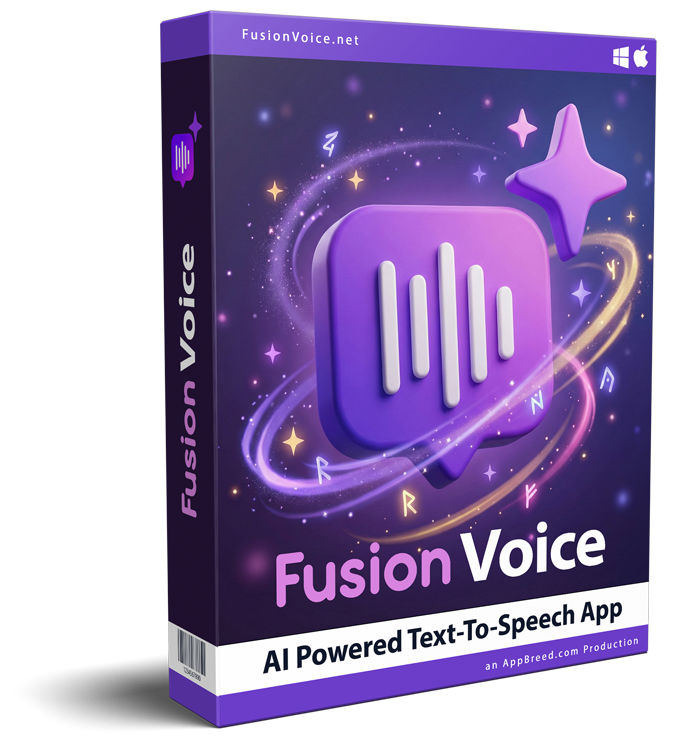
Meet FusionVoice, the AI voice studio that lives on your computer
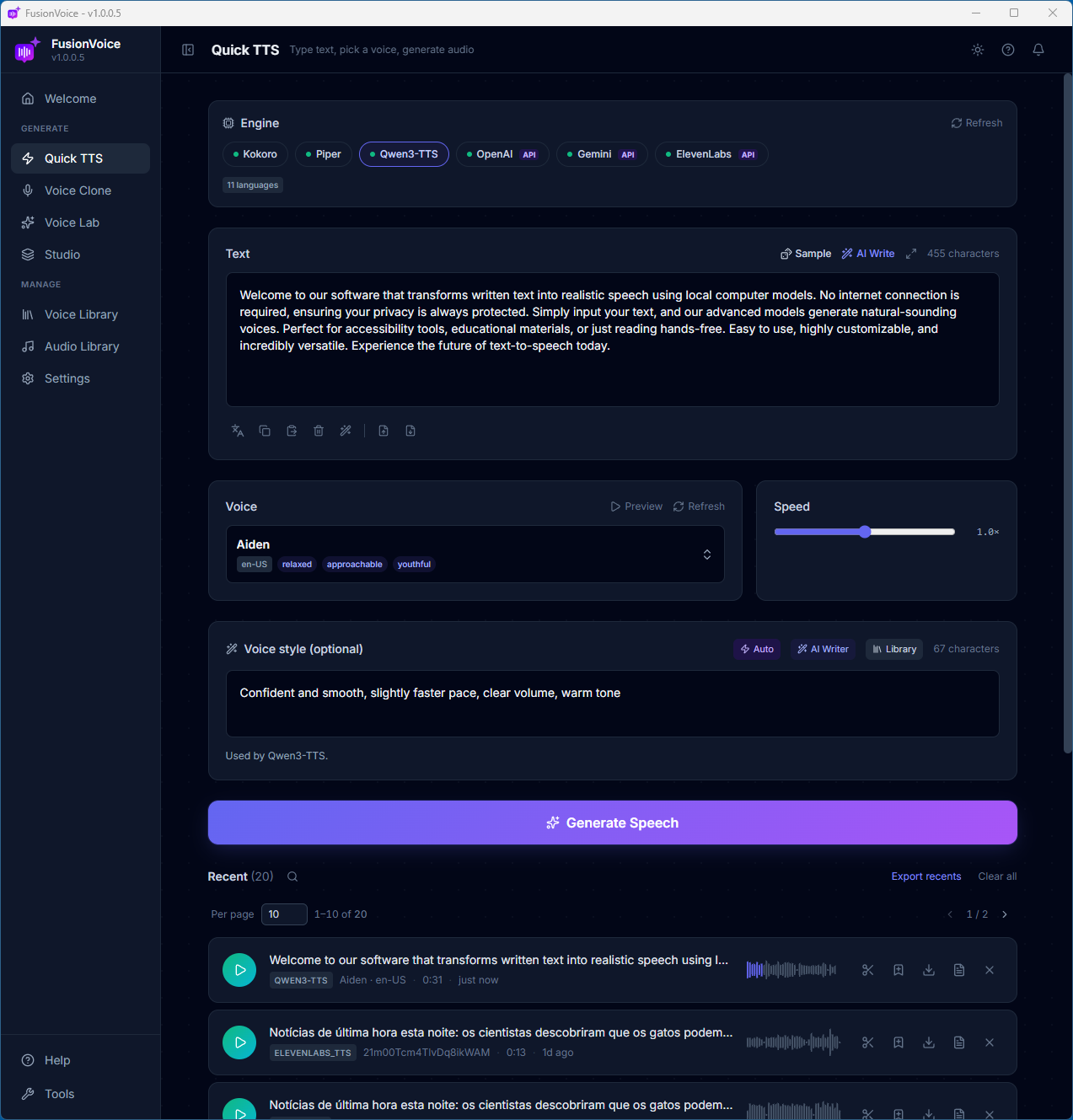
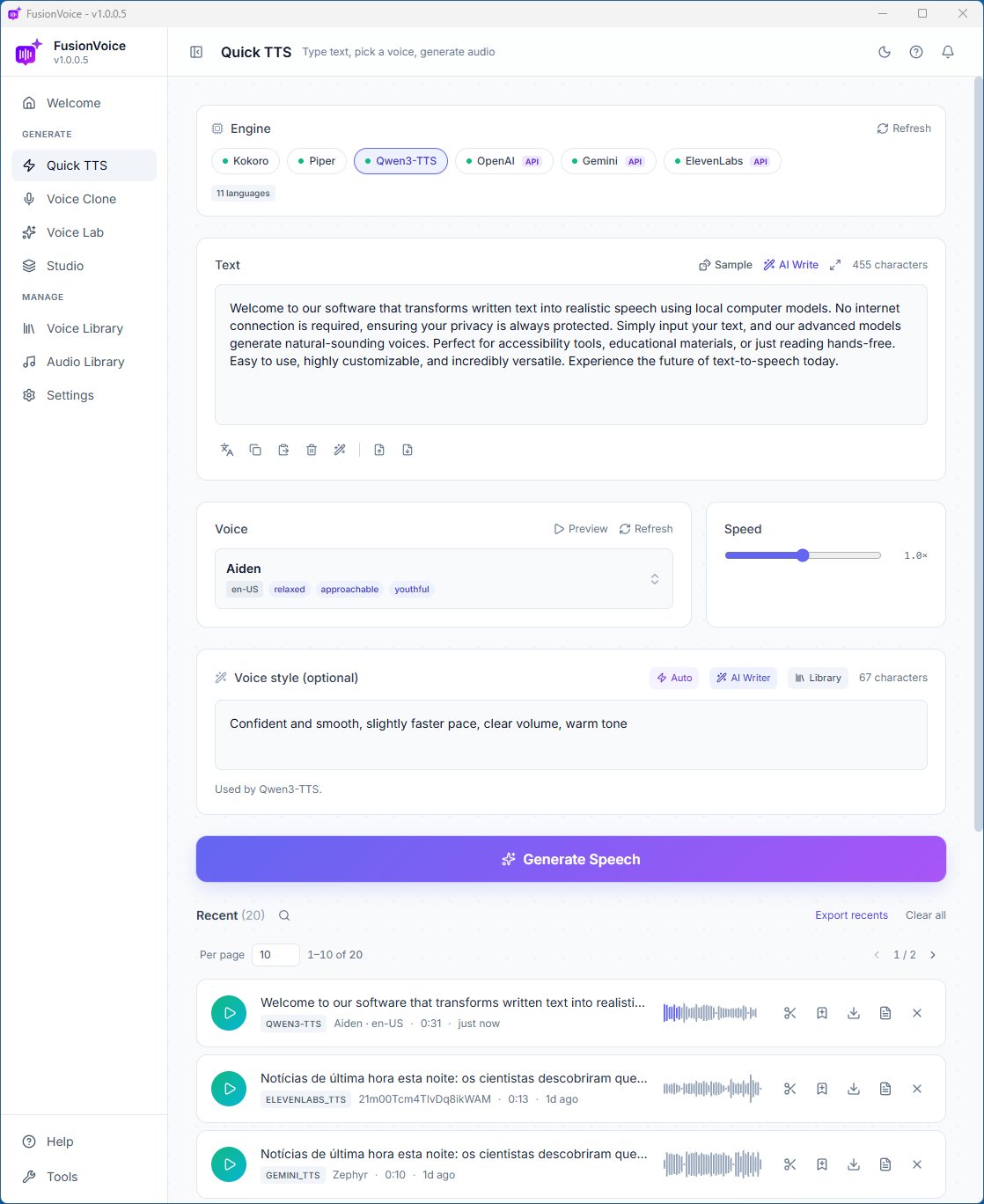
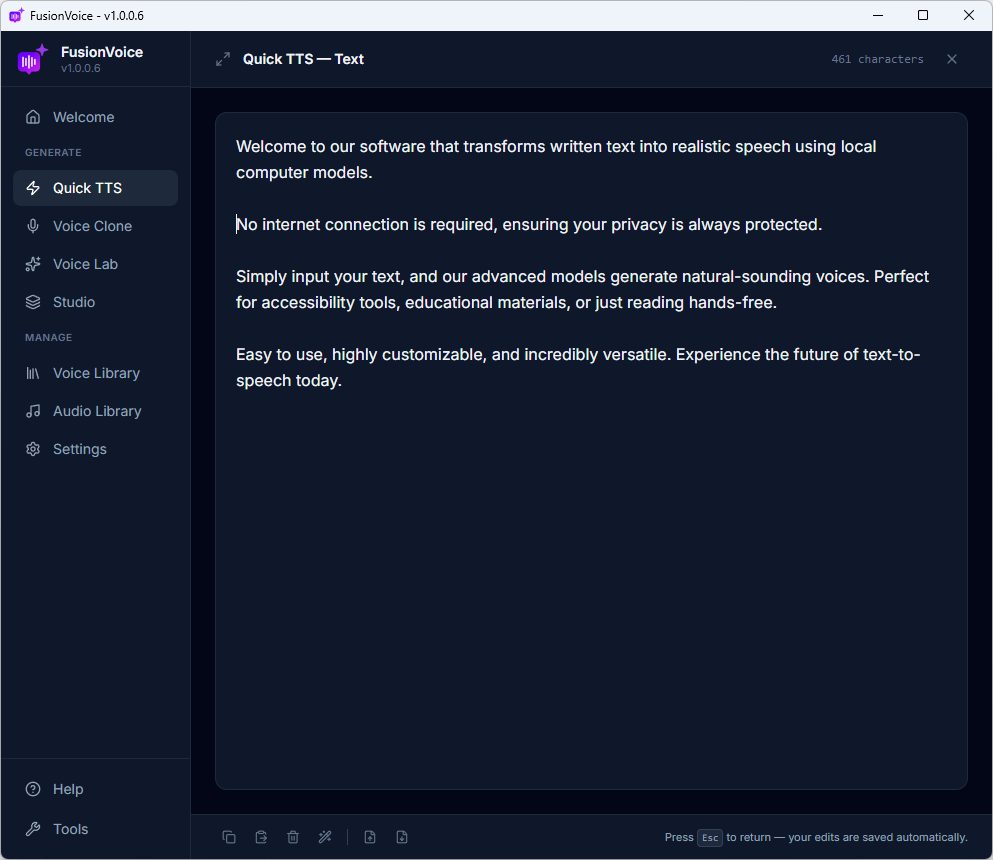
FusionVoice. Quick TTS
KoKokoro
PiPiper
OmOmniVoice
Q3Qwen3
AIOpenAI
GeGemini
11ElevenLabs
Seven AI voice engines, four free & local, three premium cloud, unified in one app.
🔑 Owned, not rented
Pay once. FusionVoice installs on your machine and runs there, generation included, no meter running. Every voice you clone or design is a file on your disk. Back it up, archive it, keep it forever. Nobody can take it away.
🎛️ Multi-engine, not locked in
Seven TTS engines in one interface. Four free local engines handle the bulk of your work at zero cost per character. When a hero project deserves premium polish, plug in your own OpenAI, Gemini, or ElevenLabs key, their prices, your account, no markup.
5
tools in one app
7
voice engines
600+
languages
0
subscriptions
Hear it for yourself
Don't take our word for it, press play
Every clip below was typed, not recorded, and generated inside FusionVoice. Two of the three were made with free local engines, no credits, no monthly fees.
Demo 1 · Voice cloning · Local OmniVoice engine
Dave's real voice, then his AI clone
First the real 16-second recording. Then a clone built from it, saying brand-new words Dave only typed, in three languages, generated locally.
Real recording · Dave's actual voiceRead transcript
“Hi, my name is Dave, the creator and developer of the Fusion Voice software. You are hearing a real recording of my voice. I will use this voice you are hearing right now to create a clone inside Fusion Voice.”
AI clone · typed, not spokenRead transcript
“Hi, my name is Dave… well, not exactly. I am a clone of Dave's voice. The Fusion Voice app was used to generate this audio from that short voice sample. Now I can say whatever he writes. Not only that, I can also speak in other languages.
French: Ce n'est pas un enregistrement. Il s'agit d'un clone vocal de Dave, généré par FusionVoice à partir du court extrait que vous venez d'entendre.
The best part is, this audio was generated on Dave's own computer using no credits, no monthly fees or any payments. The text-to-speech engine runs locally. So what do you think, pretty cool, right?”
Demo 2 · Voice direction · Local Qwen3 engine
One voice. Every emotion, typed as a direction.
A kids' story built in Studio, each line carries its own style direction, from gentle storytelling to a grumbly rumble to a cozy whisper.
“The Littlest Cloud”Read script & directions
“High above the hills lived the littlest cloud in the whole sky.” (warm, gentle storytelling) “Every day, the big clouds rumbled: 'You're too small to make rain!'” (deep, grumbly, theatrical) “But one night, the littlest cloud felt a tickle… then a rumble… then a POP!” (building excitement, hushed to loud) “And out came one… perfect… raindrop.” (slow, wonder-filled, whispered) “It landed on a tiny seed, and by morning, a flower stood where nothing grew before.” (soft, happy resolution) “And that… is the end of the story.” (hushed, cozy whisper)
Demo 3 · Multi-speaker · Mixed engines
A whole podcast, cast, banter and all
Three distinct voices across two engines (Qwen3 + OmniVoice), produced in Studio from one typed script, in a single click. Listen for the twist.
“The Reveal” · 3 voicesRead transcript
MAYA (host): Welcome back to Tech Minute! Today's hot topic. AI voices. Ben, are they actually good now? BEN (skeptic): Honestly? No. You can always tell. There's something… hollow about them. Real podcasts like ours? Totally safe. MAYA: Couldn't agree more. A real conversation has timing. Banter. Chemistry. NARRATOR: Everything you just heard, Maya, Ben, and this voice, was generated in FusionVoice from a typed script. Three voices, different engines, with just one click. BEN (deadpan): Um… Well, this is awkward.
Pretty cool, right? That's the free local engines doing the work.
From a ten-second voiceover to a full-cast audiobook, every job lives in one of FusionVoice's five tools.
⚡ Quick TTS
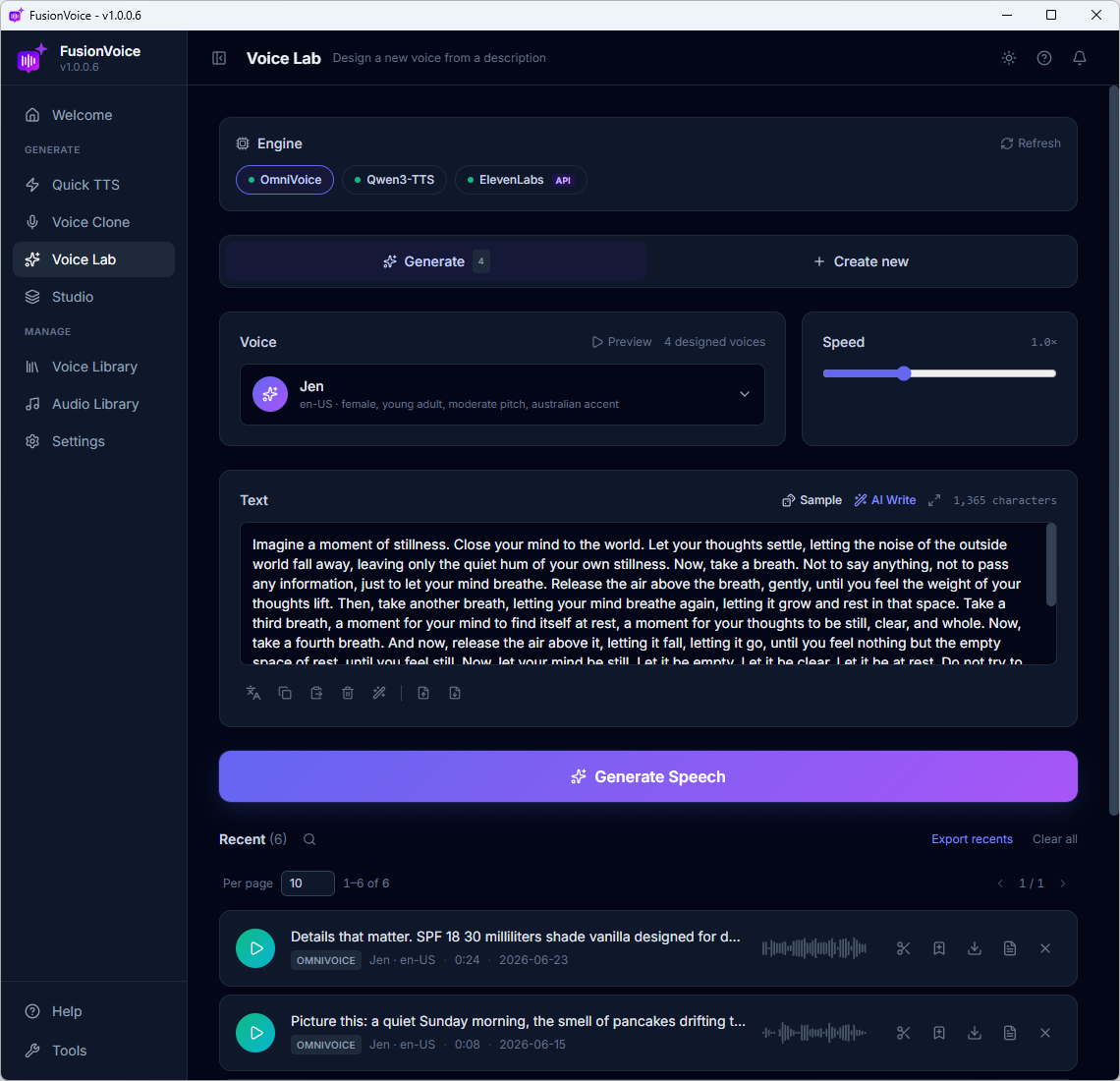
Paste a script, pick a voice, hit Generate. Sub-second results on the fast local engines. Speed control, background music beds, and a trim tool built in.
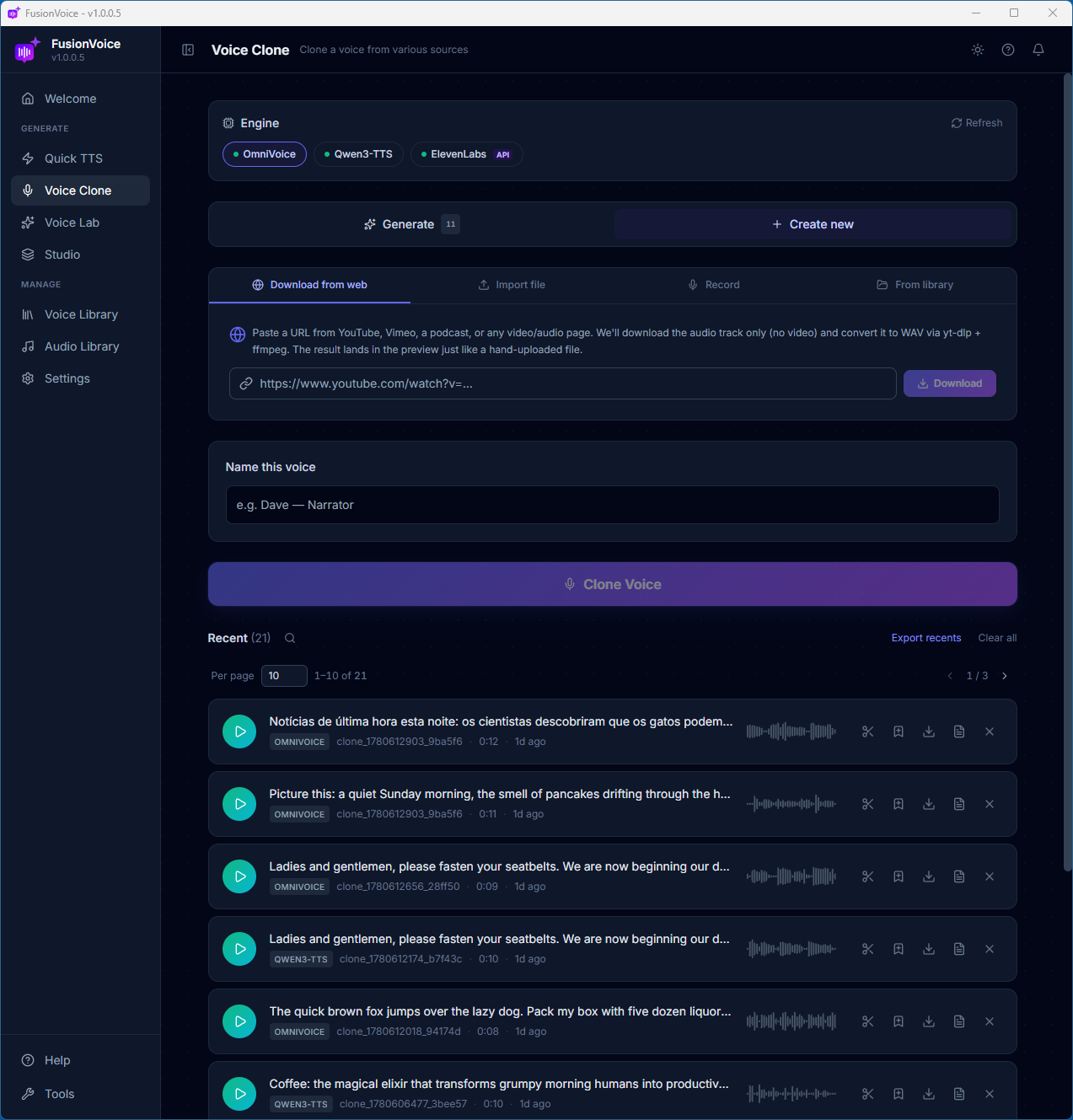
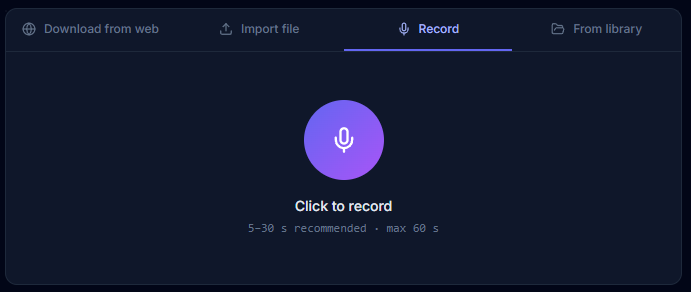
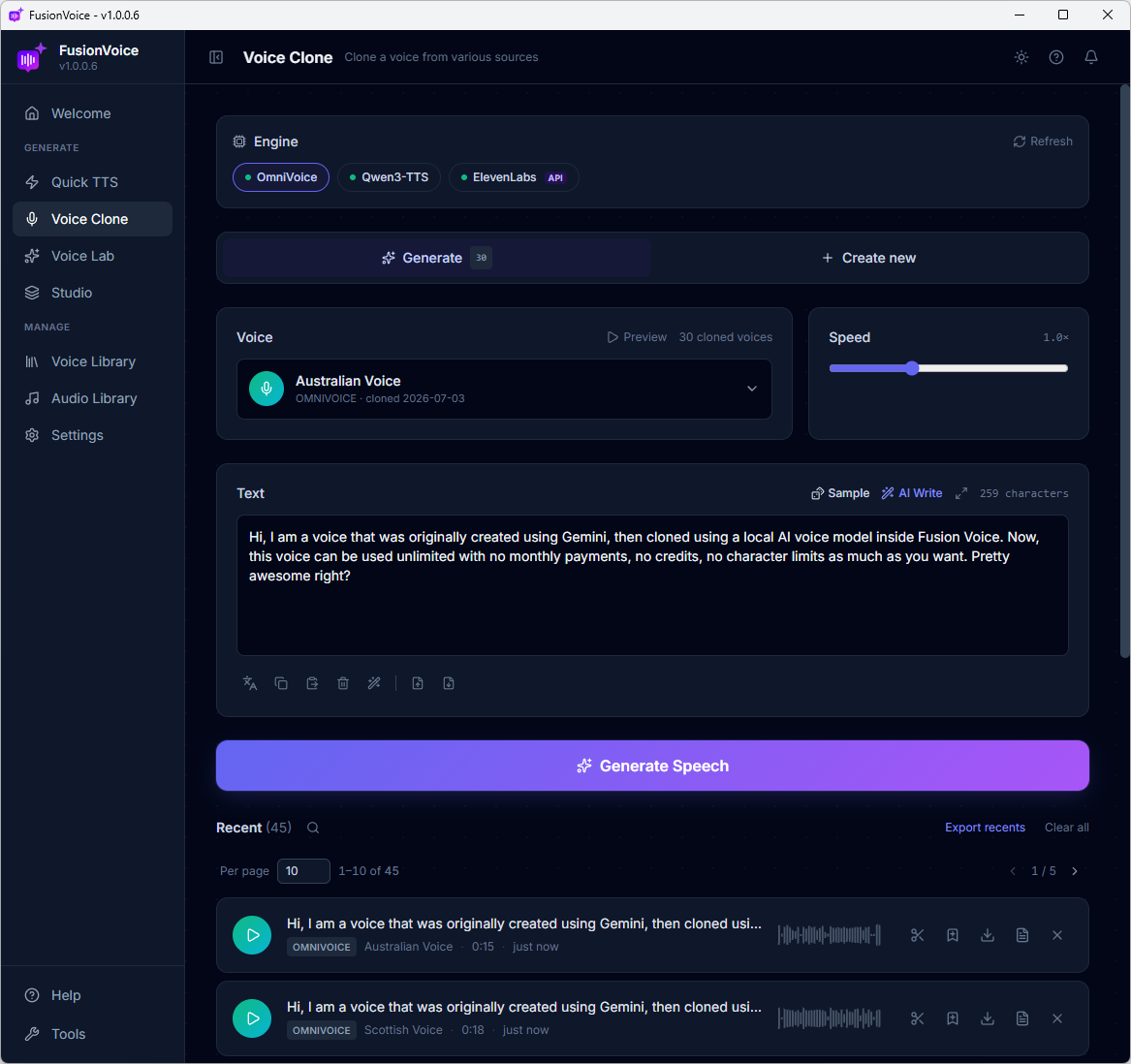
Clone any voice from just 3–10 seconds of audio, drop a file, record your mic, or pull from your library. Local clones are stored on your disk, never uploaded.
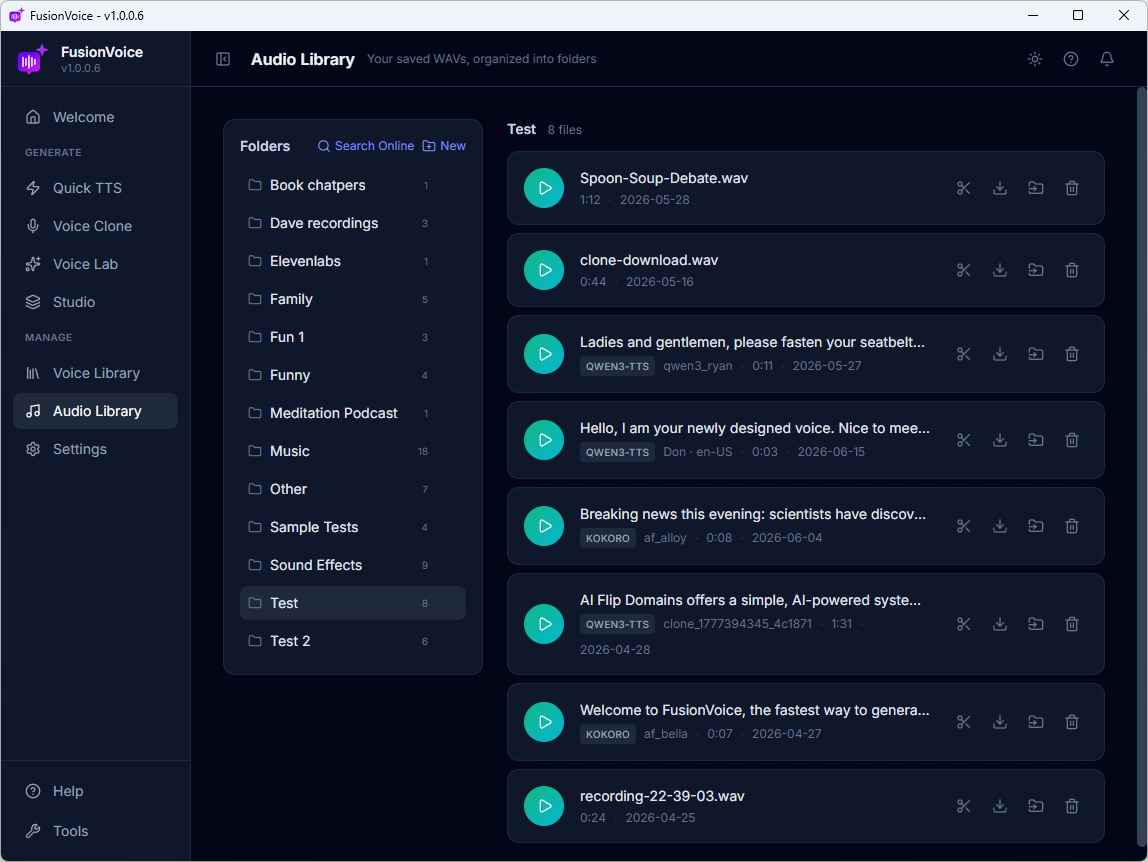
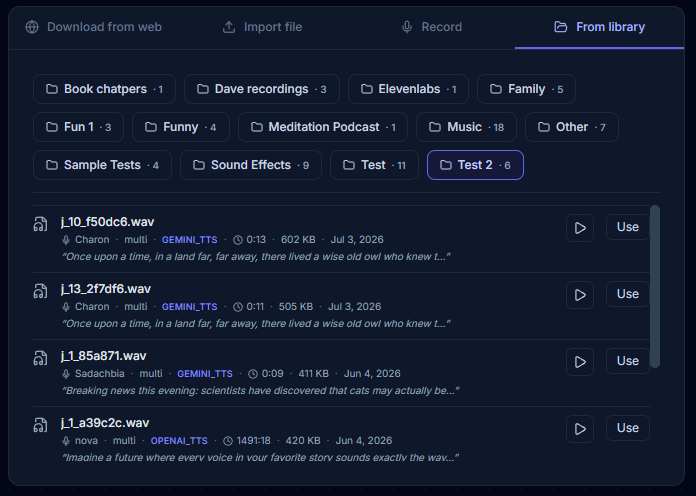
A Voice Library for every voice you clone or design, and an Audio Library for every render, searchable, reusable, and stored as plain files you own.
1 Tool 01 · Quick TTS
Type text. Pick from 135 voices. Hear it in seconds.
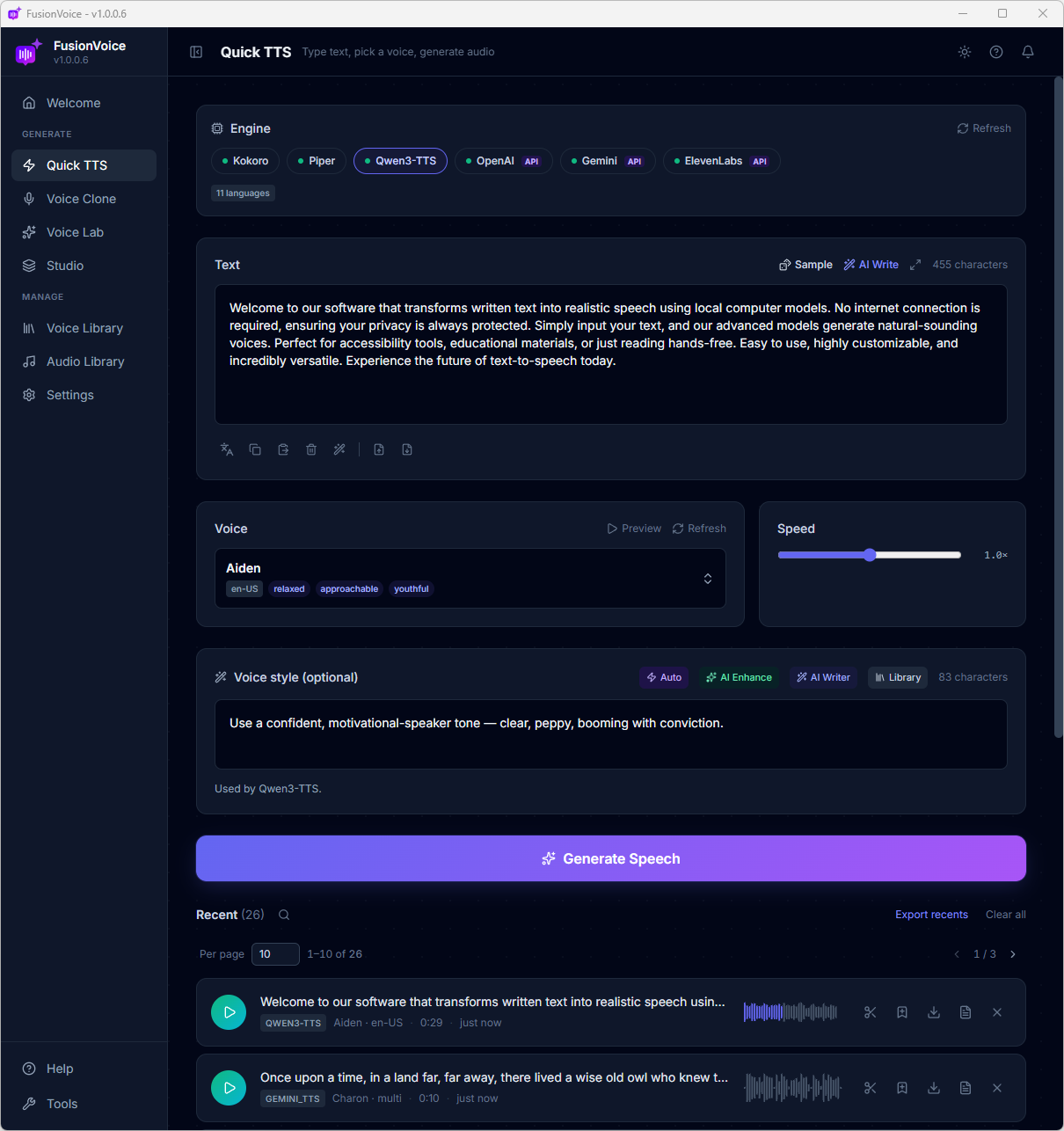
Quick TTS is the fastest path from words to audio: paste a script, choose an engine and a voice, hit Generate. Everything below lives on one clean screen.
Click any screenshot to enlarge.
Six engines. One dropdown.
Three run 100% free and private on your computer. Three connect to premium APIs with your own key, only if you want them.
LOCAL · FREE
Kokoro
54voices
The local workhorse, natural English narration plus Spanish, French, Italian, Japanese, Portuguese, Hindi & Chinese voices.
LOCAL · FREE
Piper
11voices
Lightning-fast and light on resources, clean US, UK, German, Spanish, French, Italian & Dutch narration even on modest PCs.
LOCAL · FREE
Qwen3-TTS
9voices
The style-directable local engine, type how the voice should sound ("whispered, urgent…") and it obeys.
API · YOUR KEY
OpenAI
11voices
Multilingual studio-grade voices with full style direction. Pay OpenAI's pennies-per-generation rates, no markup.
API · YOUR KEY
Gemini
30voices
Google's expressive voice lineup. 30 characters, all multilingual, all directable with plain-English style notes.
API · YOUR KEY
ElevenLabs
20voices
The premium-prosody king, right inside the same workflow, bring your key and use it only when a job demands it.
Don't take our word for it. Hear them.
A few favorites from each engine, generated in Quick TTS exactly as you'd do it.
Pucken-US
friendlyconversationalcrisp
Hearten-US
encouragingreassuring
Bellaen-US
sweetmelodic
Nicoleen-US
warmsoothing
Albaen-GB
polishedauthoritative
Thorstende-DE
measureddocumentary
Ryanen-US
conversationalpolished
Amyen-US
measuredcalm
Ryanen-US
gravellyrelatable
Aidenen-US
relaxedyouthful
Serenazh-CN
gentlebreathy
Ono Annaja-JP
sweetdelicate
Novamulti
calmgentle
Onyxmulti
smoothintimate
Coralmulti
reflectivemellow
Ashmulti
steadywarm
Zephyrmulti
calmwarm
Charonmulti
deepmeditative
Puckmulti
gentlenarrative
Ledamulti
warmclear
Liammulti
calmclearwarm
Charlottemulti
calmingstoryteller
Matildamulti
polishedconversational
Charliemulti
calmclear
135 voices total across six engines, every one previewable inside the app before you generate.
And a full toolbelt on the same screen.
Little tools that remove every excuse between you and finished audio.
✍️
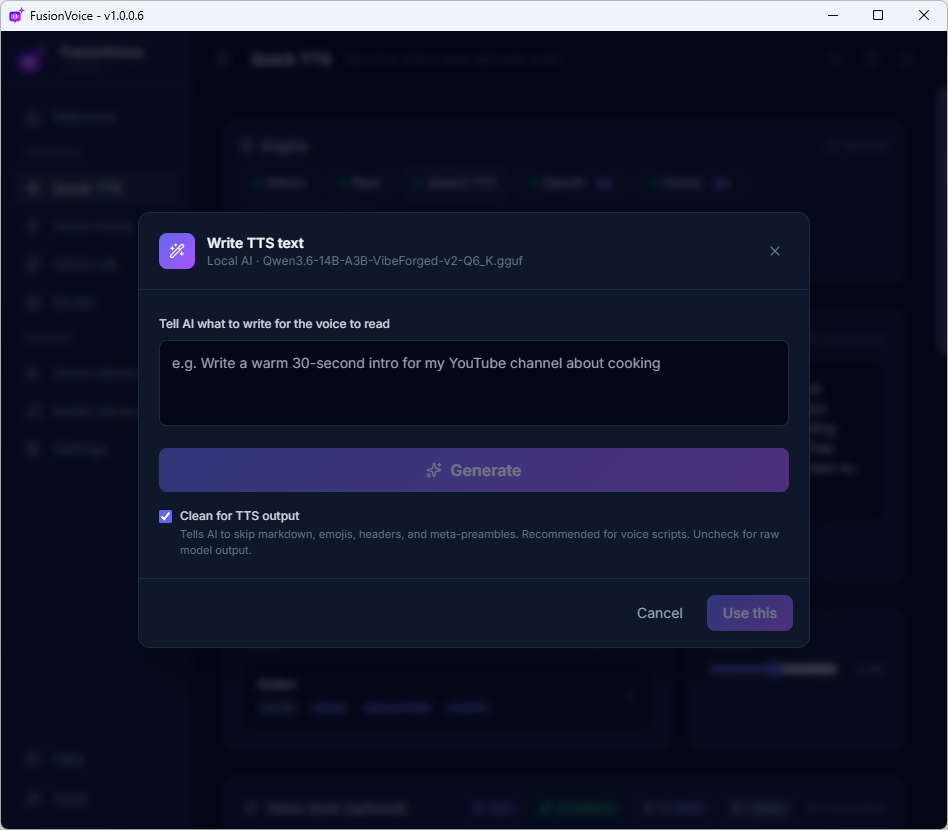
AI Write
No script? Tell the built-in AI what you need, "a warm 30-second intro for my cooking channel", and it writes TTS-ready text. Local AI or your API, your choice.
🌍
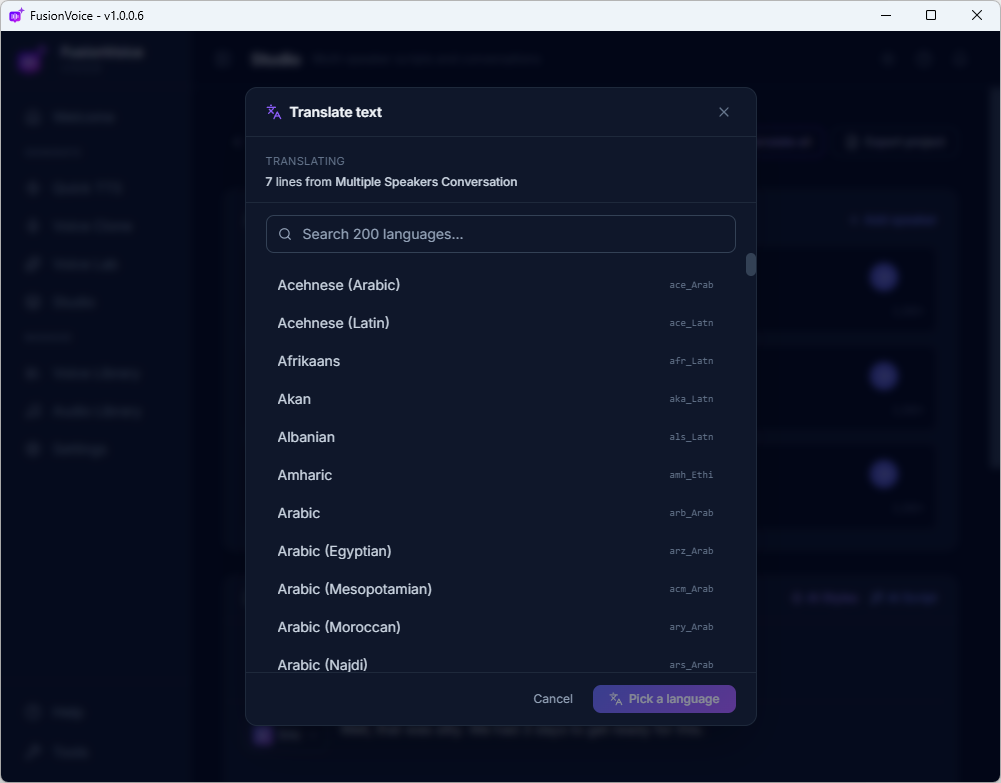
Translate to 200+ languages
Translate your script into over 200 languages, locally, on your machine. Write once in English, publish for the world.
🎭
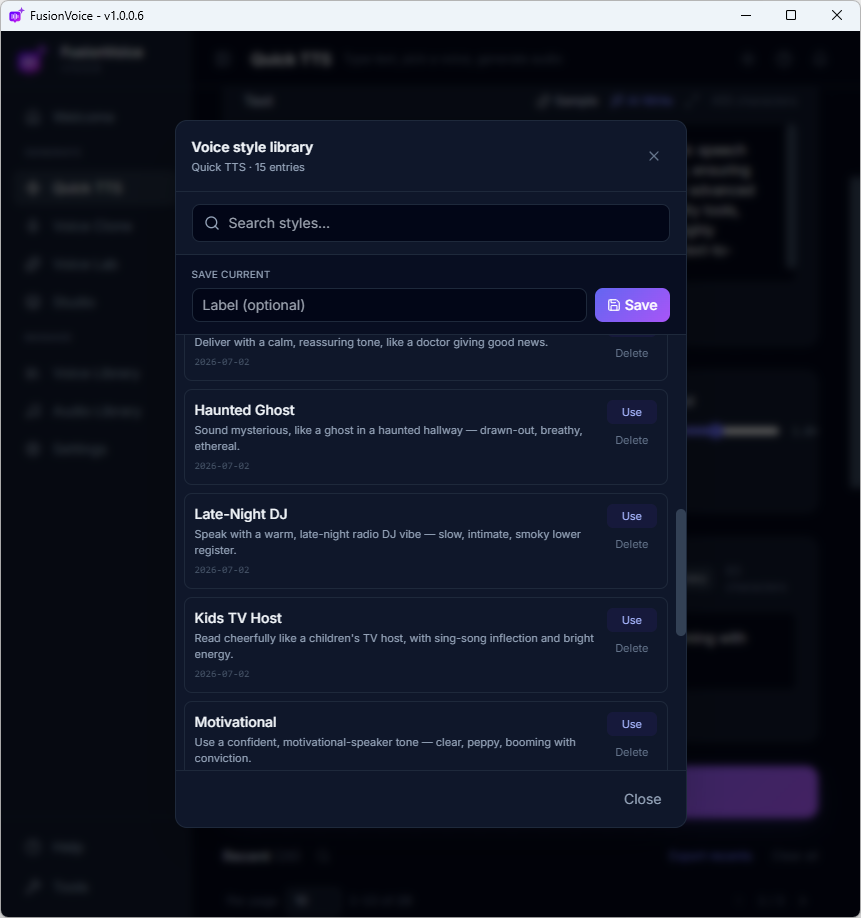
Voice Style, four ways
On style-directable engines, describe the delivery, or let AI do it for you.
⚡ Auto, reads your script, writes the style✨ AI Enhance, polishes your draft🖊 AI Writer, writes from a brief📚 Library. 15 presets + your saved styles
✂️
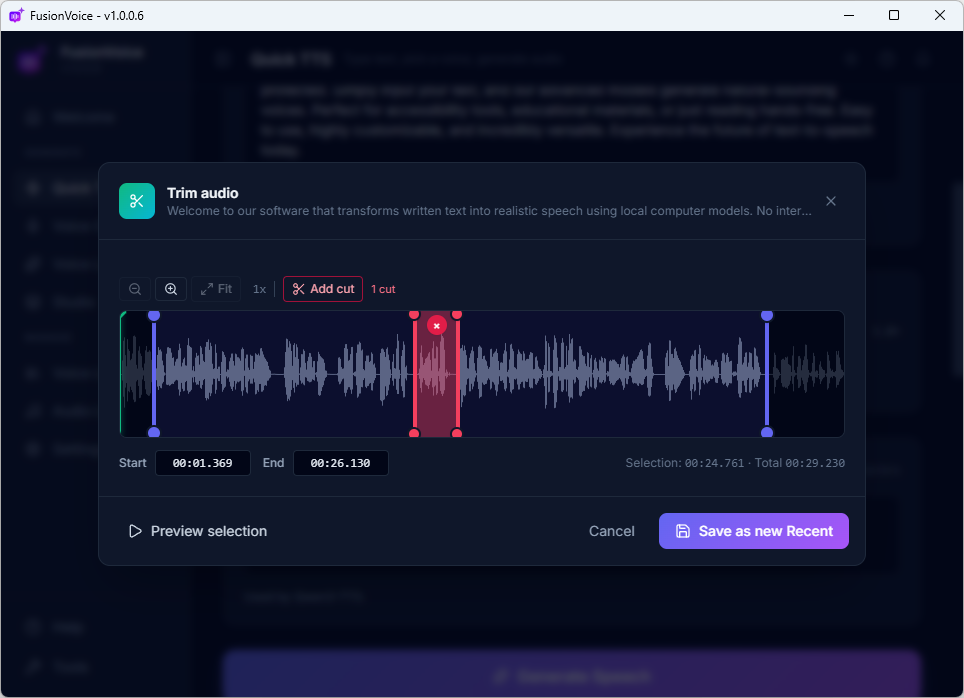
Clip editor
Trim the ends or cut any section out of a generated take, waveform view, preview, save. No external audio editor needed.
🗂️
Save to Audio Library
One click sends any take to the built-in Audio Library, searchable, tagged, and stored as real files on your disk.
📜
Full-screen script view
Long script? Expand the text box to full screen and edit comfortably, with live character count.
2 Tool 02 · Voice Clone
Clone a voice from seconds of audio. Then type anything.
Your voice, a client's, a hired actor's, any voice you have permission to use. Feed it a short sample and FusionVoice builds a reusable clone that speaks whatever you type, forever, at no per-word cost.
🎧 One of these is the real Dave. One is his clone.
Listen to both, then make your call.
A
B
Four ways to feed it a voice.
However the source audio exists, there's a path from it to a working clone in under a minute.
🎙️
Record your mic
Hit record, read a few sentences, done. The fastest way to clone yourself.
📁
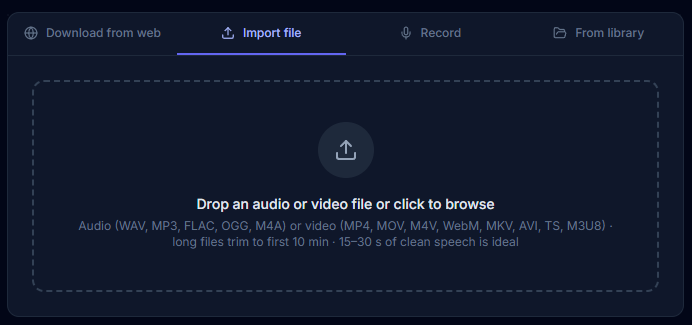
Import a file
Drop in any WAV or MP3 you already have, a voicemail, a podcast clip, a client's brand-voice recording.
🌐
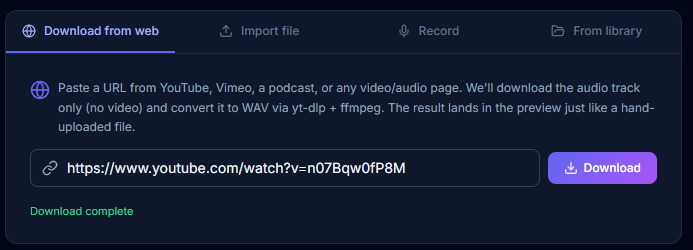
Pull from a URL
Paste a YouTube, Vimeo, or podcast link. FusionVoice grabs the audio track and preps it automatically. Perfect for cloning your own published content.
🗂️
From your Audio Library
Any take you've saved in FusionVoice can become a clone source with one click.
⚙️
Three clone engines
Two clone locally, free and private. Add your ElevenLabs key for their professional clones, same workflow, your choice per voice.
🖥️ OmniVoice Local · Free🖥️ Qwen3-TTS Local · Free☁️ ElevenLabs API · Your key
🔒
Private by default
Local clones are built on your machine and stored on your disk, clone your voice without handing it to a cloud company.
✅ Runs 100% offline✅ Clone files live on your disk✅ Nothing uploaded. Ever.
The power move
Design a voice on a premium engine. Keep it forever, locally.
Here's the workflow experienced users love: use a premium API engine to discover the perfect voice, then turn it into a local voice you can run unlimited, for free.
The local clone comes out slightly different, a close cousin with its own character, running on a different engine. That's the beauty of it: you've created a brand-new reusable voice asset that lives on your disk, with no meter running. It works with voices you design in Voice Lab, too.
Hear it below, two premium voices, and the free local clones made from them. ⬇
1
Generate with a premium engine
In Quick TTS, pick Gemini, OpenAI, or ElevenLabs and shape the delivery with a voice style description until it's exactly right.
2
Save the take
A few seconds of that perfect voice goes straight to your Audio Library.
3
Clone it locally
Point Voice Clone at the saved file. OmniVoice or Qwen3-TTS learns the voice on your machine.
4
Use it unlimited, free
The style you paid pennies to discover is now a local voice, no API costs, no character limits, yours forever.
Demo 1 · Gemini voice, styled with a text description → Its free local clone · OmniVoice
The style was described in plain English, discovered in seconds on a premium engine, and now it's a voice Dave owns outright.
Demo 2 · ElevenLabs voice, designed from text in Voice Lab → Local clone #1 · OmniVoice → Local clone #2 · Qwen3-TTS, same seed, its own character
Every clip above, premium originals and local clones alike, was generated entirely inside FusionVoice.
After the clone
Your clone is just another voice.
Every clone lands in your Voice Library next to the built-in voices. Pick it in Quick TTS, cast it in a Studio production, or narrate an audiobook with it, type text, get your voice, unlimited, with no per-character meter running.
Clone once, use forever. No subscription hostage-taking: the voice lives in a file you own.
3 Tool 03 · Voice Lab
The voice you need doesn't exist yet? Describe it. Now it does.
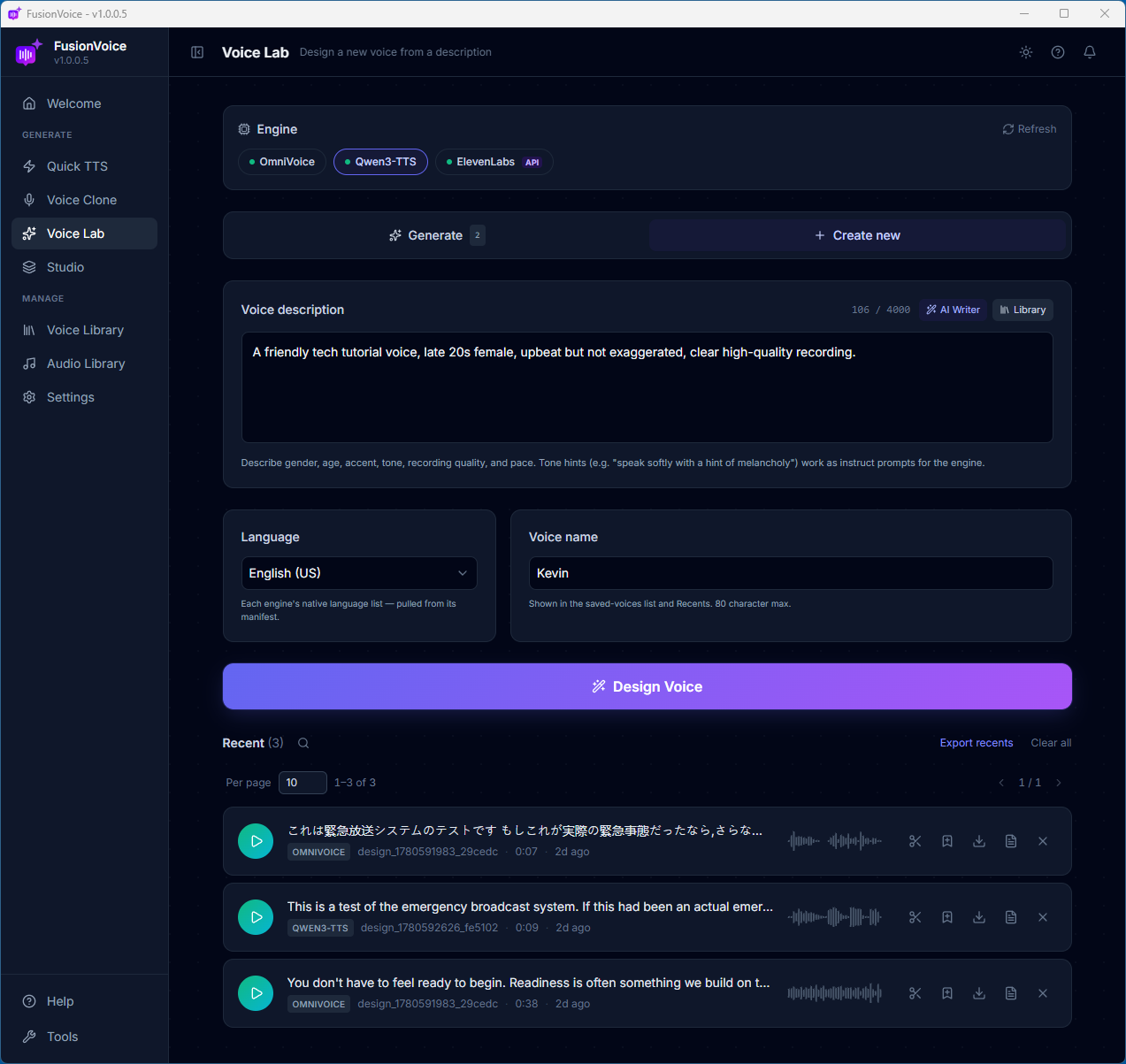
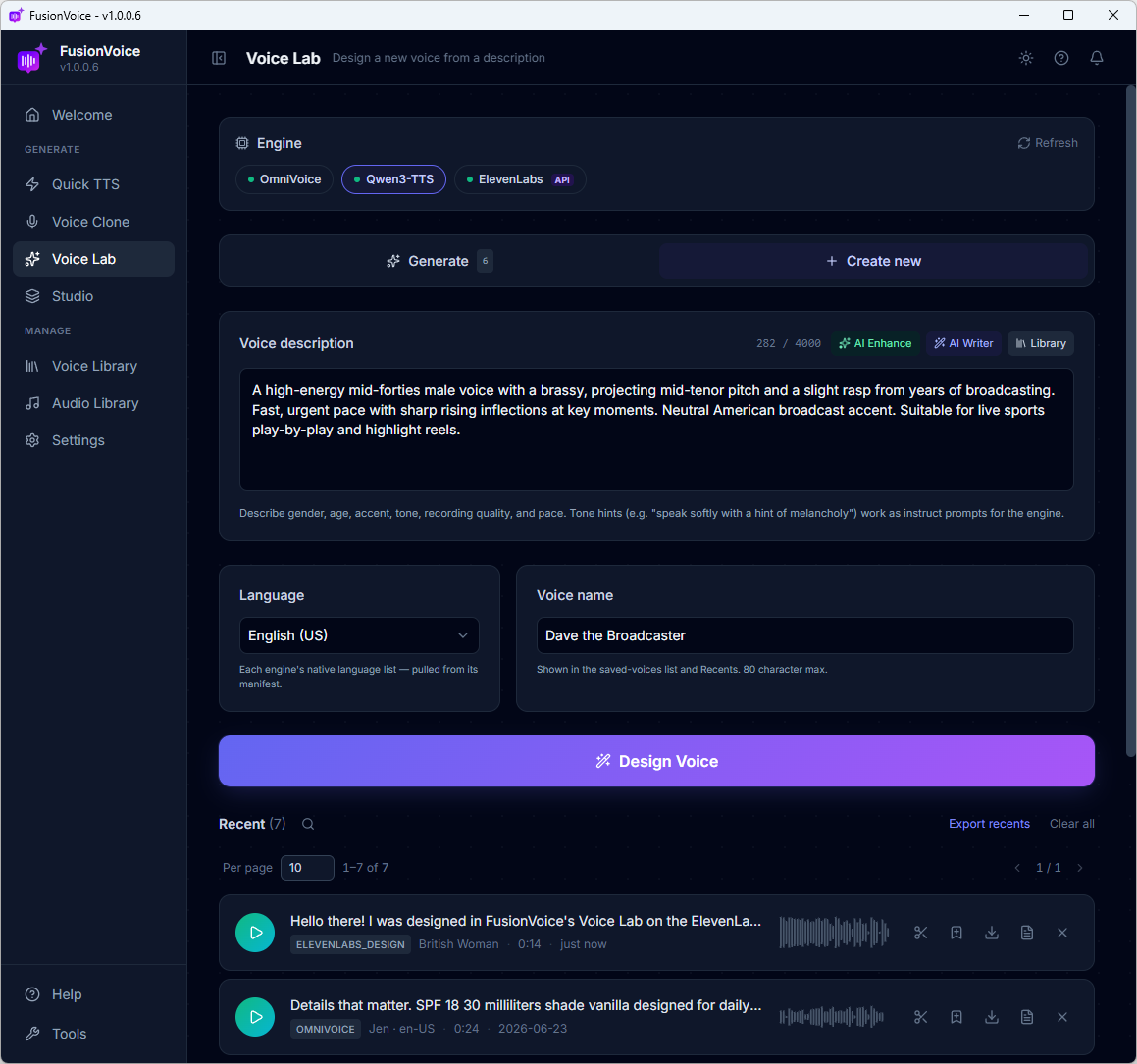
No reference audio, no voice actor, no recording. Voice Lab turns a written description into a brand-new, reusable voice, "warm, middle-aged, slight British accent, slow and reassuring", in one click.
Text in, voice out
Write a sentence. Get a voice actor.
Describe gender, age, accent, tone, pace, even recording quality. Hit Design Voice and the engine builds it. Not sure how to word it? The built-in AI Writer drafts the description for you, and a Library stores your favorites.
Need five different podcast guests, a movie-trailer voice, or a calm meditation guide? That's five sentences, not five casting calls.
Two ways to design, pick your style.
Freeform writers and click-and-done builders are both covered, across three engines.
✍️
Describe it freely · Qwen3-TTS & ElevenLabs
Write up to 4,000 characters of pure direction, accent, mood, diction, breathiness, "hint of a smile." The more you say, the closer the match.
🎛️
Or click it together · OmniVoice
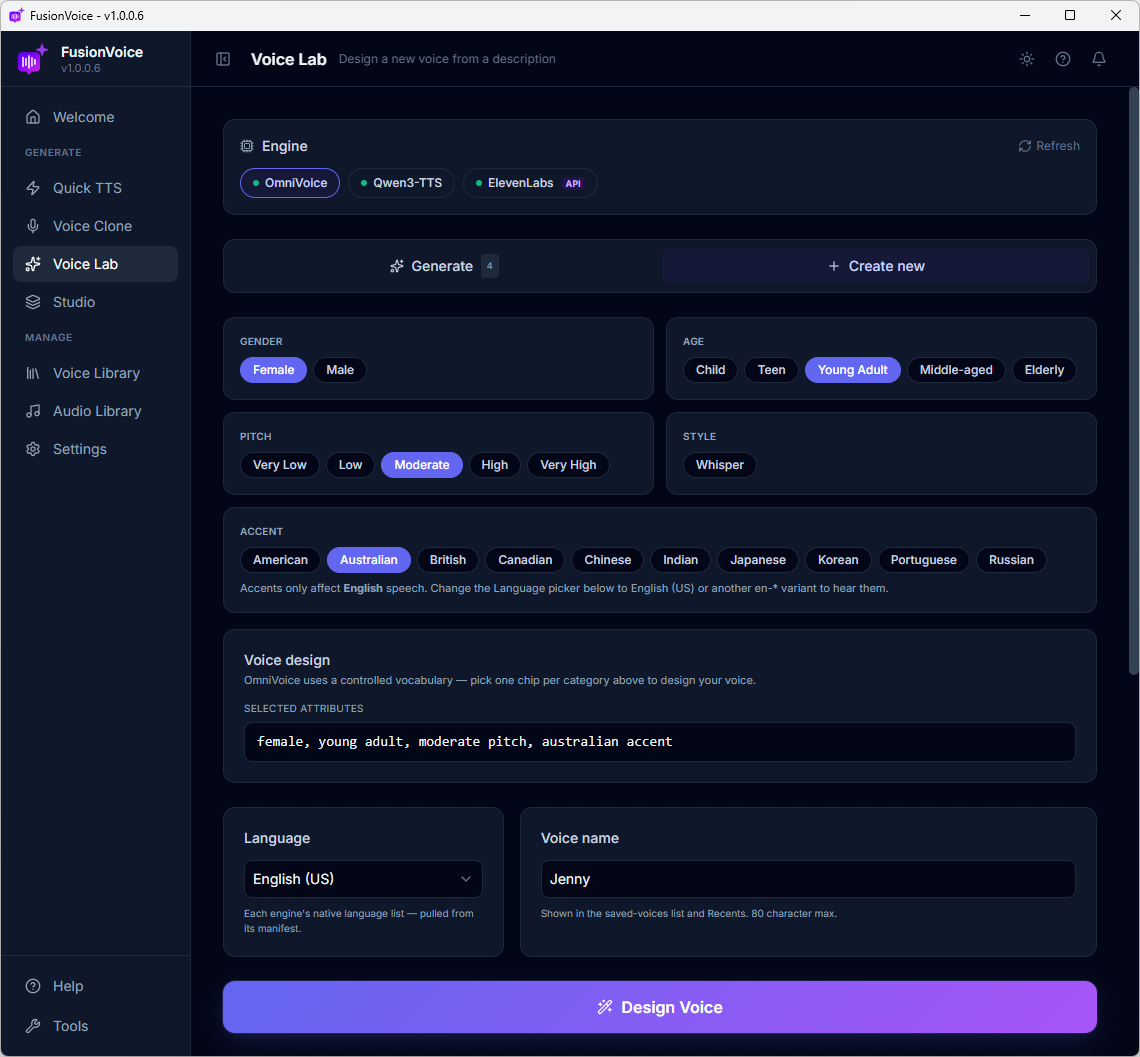
No prompt-writing at all: pick gender, age, pitch, and one of ten accents, Australian to Japanese, and OmniVoice assembles the voice locally, free.
Can't clone it? Analyze it.
Heard the perfect voice? Describe it. Don't clone it.
Some voices you love belong to people you can't get consent from. Voice Lab gives you the ethical move: click Analyze Audio, import a clip or paste a link, and AI listens to the first 30 seconds and writes a detailed voice description: tone, pitch, texture, pacing, character.
That description becomes the seed for a brand-new designed voice. Nothing is cloned and nobody's voice is copied. You capture the style you loved, and Voice Lab builds an original voice inspired by it.
🎧 Import a file or paste a video link from 1,800+ sites🤖 AI writes the voice description for you🧪 Voice Lab designs an original voice from it✅ Nothing cloned. No consent problems. Use it UNLIMITED!
Six voices. Zero auditions.
Every voice below was designed in Voice Lab from a description, then handed a script, they do NOT exist ANYWHERE else in the world. All three engines represented.
Travel VloggerOmniVoice · 4 attributes
Australianyoung adult
The StorytellerOmniVoice · 4 attributes
elderlyBritishlow pitch
Trailer GuyQwen3-TTS · described
gravellycinematic
Sleep GuideQwen3-TTS · described
hushedcalming
The NarratorElevenLabs · described
documentaryrefined
The SidekickElevenLabs · described
cartoonzany
From a four-attribute build to a full cinematic trailer voice, all designed from text, no reference audio anywhere.
Design once, direct forever
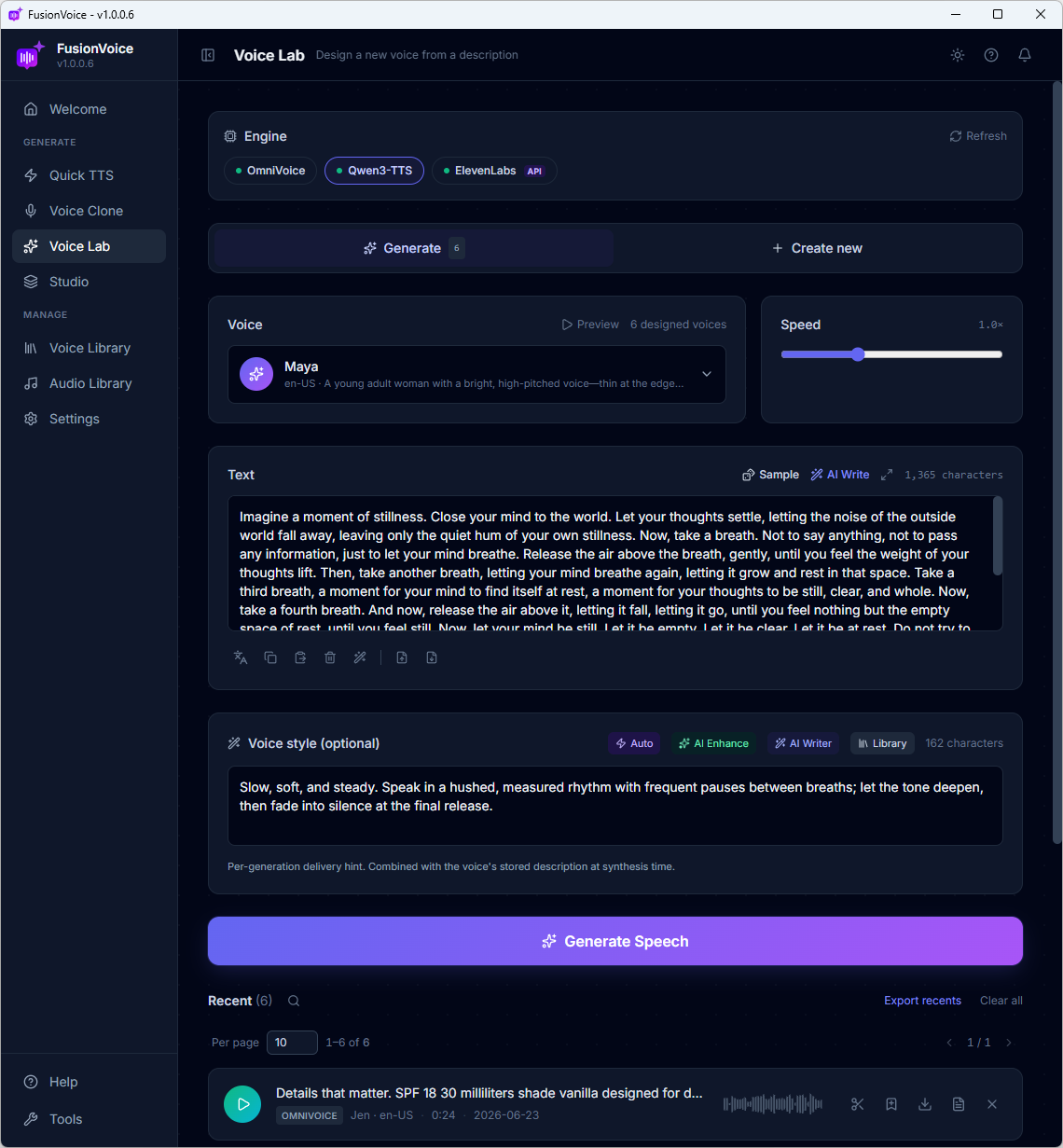
Your designed voices become a cast on call.
Every voice you design is saved and reusable, pick it, type text, generate. Add a per-take style hint ("slow, hushed, fade to silence at the end") to direct each individual performance.
And remember the power move from Voice Clone: design something special on ElevenLabs, then clone it to a free local engine and keep it forever. You heard the British voice above, that's this exact workflow.
🖥️ OmniVoice Local · Free🖥️ Qwen3-TTS Local · Free☁️ ElevenLabs API · Your key
4 Tool 04 · Studio · The Flagship
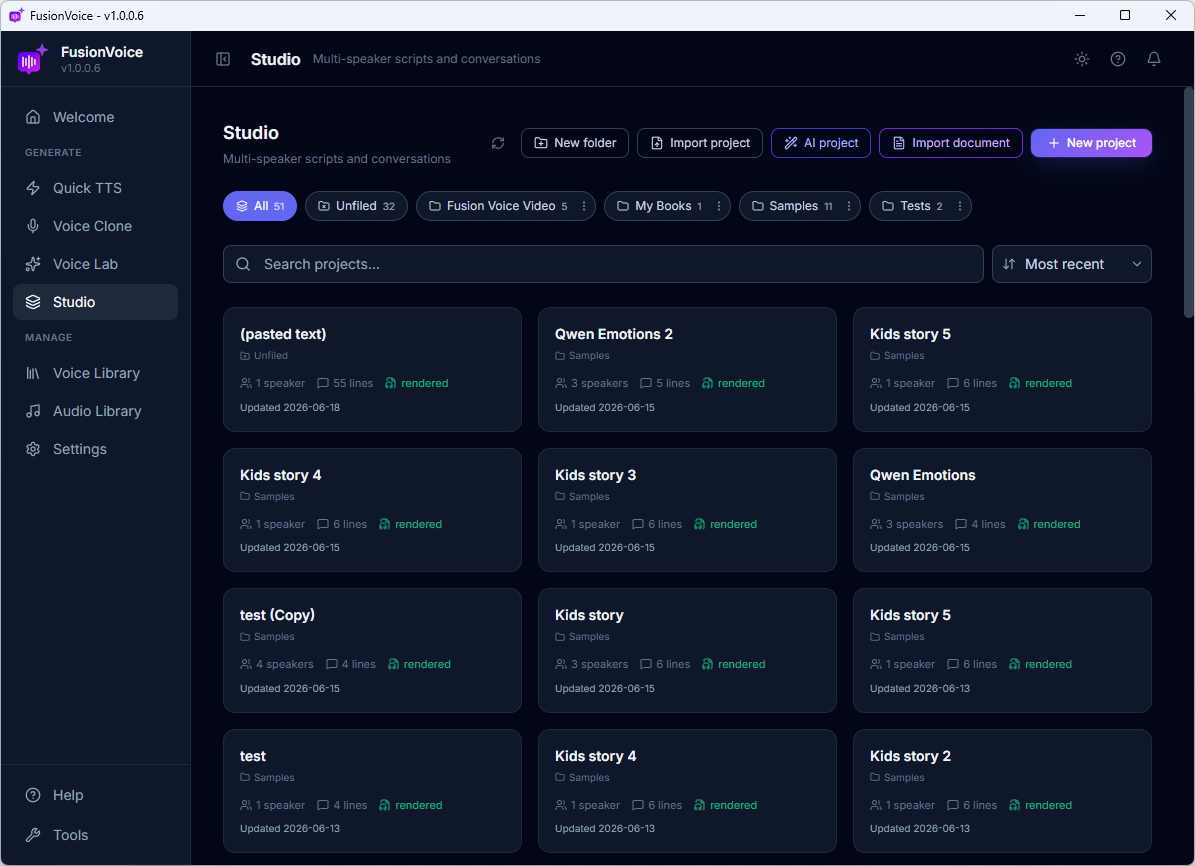
An entire audio production team. On one screen.
Scriptwriter, casting director, voice actors, translator, sound designer, and audio engineer. Studio plays every role. You describe the production; it delivers the finished audio.
💡
Describe it"A 2-minute conversation between a tech founder and a skeptical investor."
📝
AI writes & castsFull script, named speakers, voices assigned, in seconds.
🎭
You directEdit any line, style any delivery, add music and sound effects.
🎧
One click rendersEvery line generated and stitched into one finished file.
The impossible cast
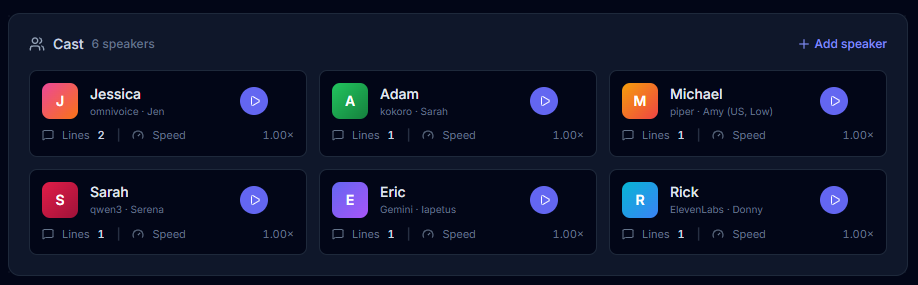
Six speakers. Six different engines. One production.
Every speaker can run on a different engine, a Kokoro narrator, a Qwen3 co-host, your own cloned voice, and an ElevenLabs guest star, all in the same conversation. That's cost optimization built in: free local engines carry the bulk of the lines, premium cloud only where it earns its keep. No other tool on the market mixes engines like this.
Then direct it like a pro.
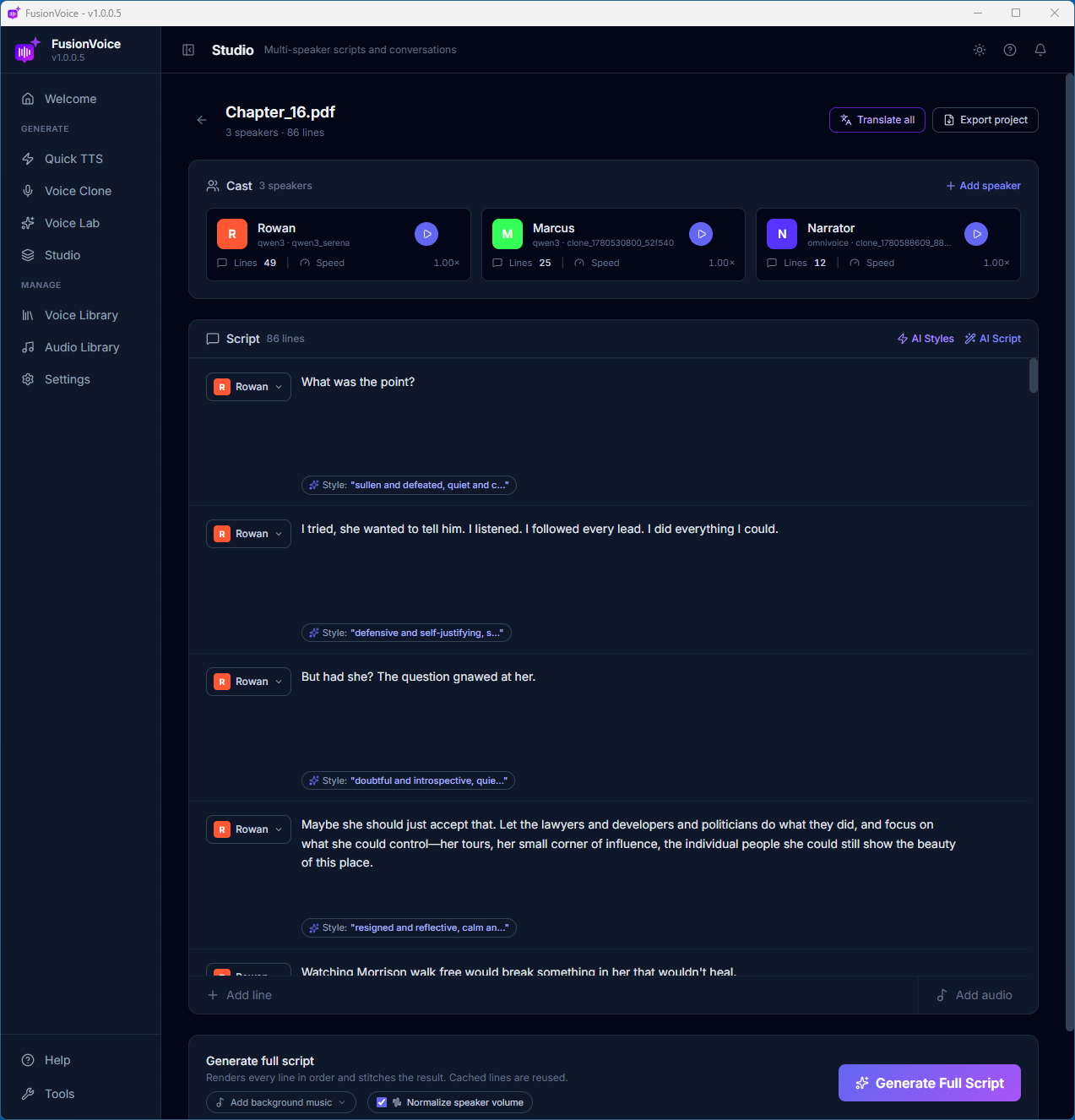
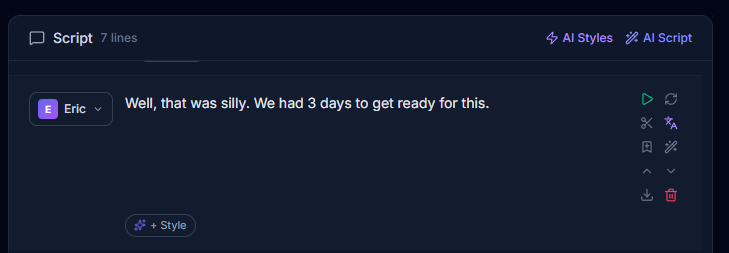
Every line has a full toolbelt, regenerate, restyle, translate, trim, reorder, without touching the rest of the production.
🎬
Per-line direction
Click any line to regenerate it, add a style ("whispered, urgent"), cut it, move it, or download just that line. Works on cloned voices too, one clone delivers the excited intro and the hushed outro.
✨
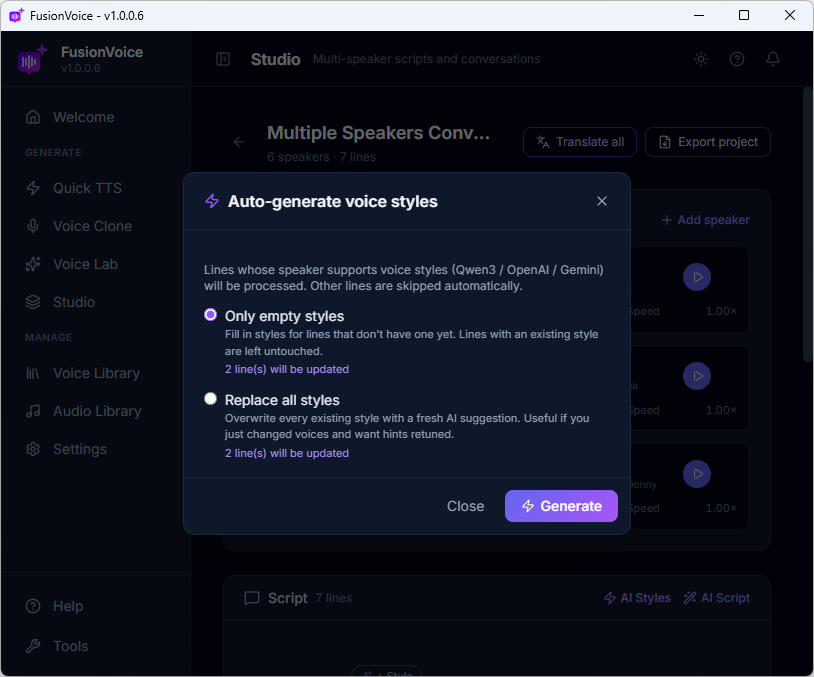
AI styles for every line
One click and AI reads the whole script, then writes delivery direction for every single line, anger, hesitation, warmth, all inferred from context.
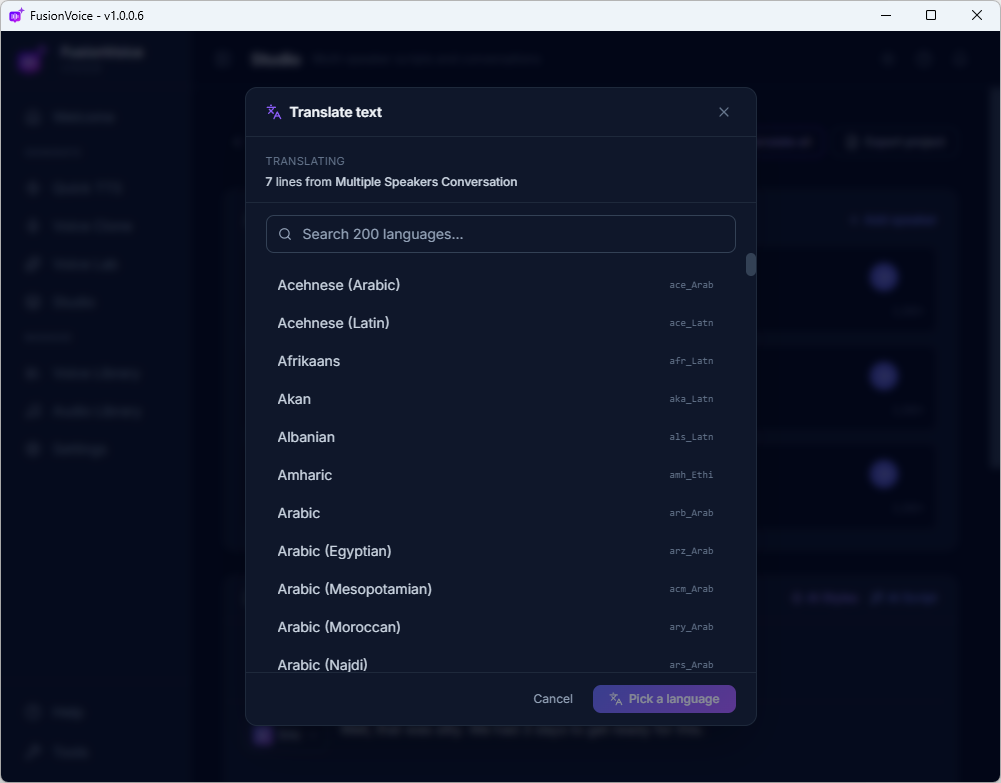
🌍
Translate the whole show
Translate every line at once, 200+ languages, locally, and the voice picker repopulates with target-language voices. One click turns your podcast into a Spanish production.
Music and sound effects, built in.
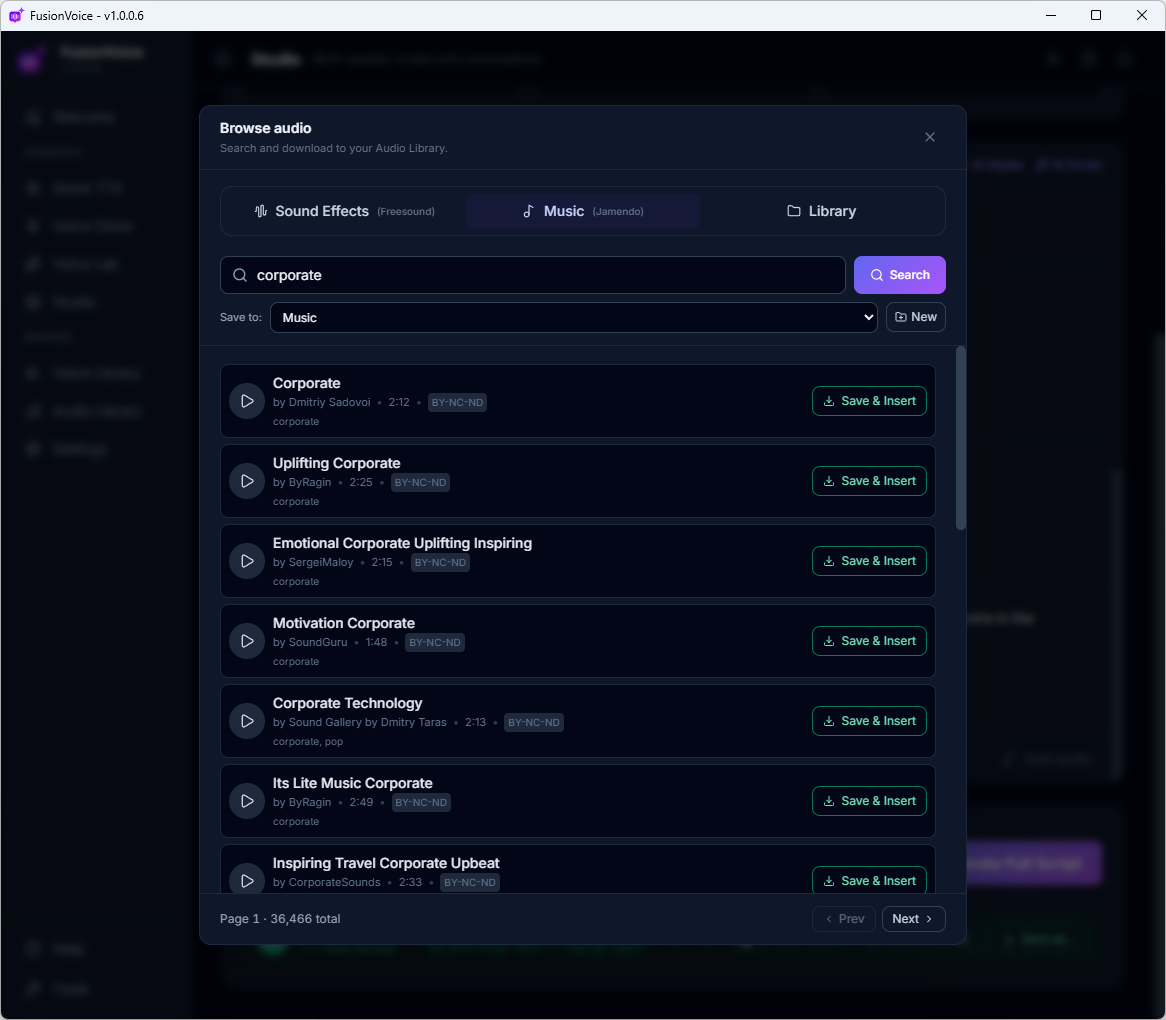
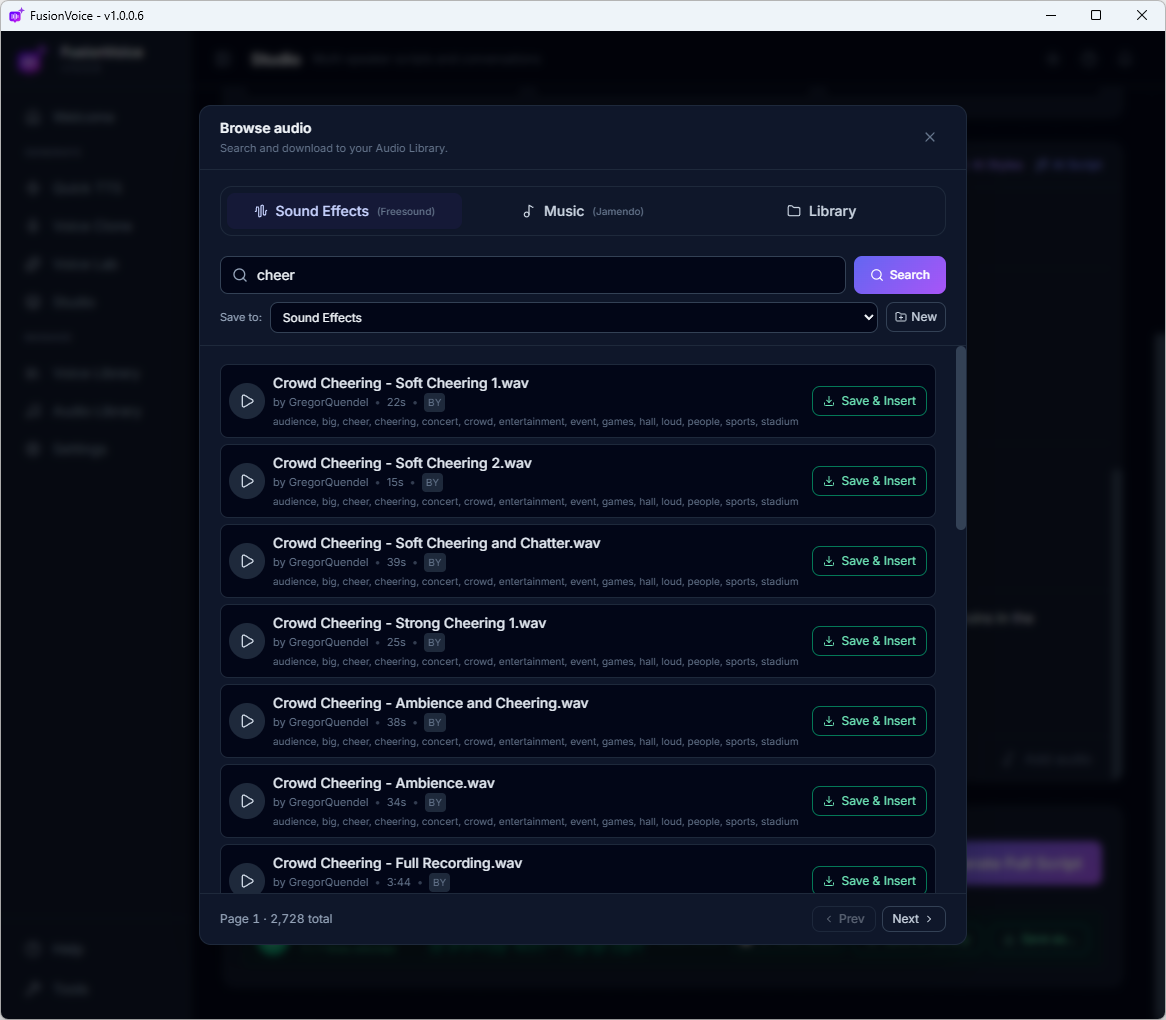
Hundreds of thousands of music tracks and 700,000+ sound effects, the Jamendo and Freesound libraries are searchable from inside Studio. Preview, save, and insert without opening a browser.
🎵
Background music
Search hundreds of thousands of tracks in the built-in Jamendo library, "uplifting corporate," "cozy piano", preview, and lay one under your production with a click. A single search for "corporate" alone returns 36,000+ tracks.
💥
Sound effects
Crowd cheers, door creaks, rain on glass, over 700,000 sound effects from the Freesound library, wired straight into your project. Search, save, insert between lines.
Already have a script? Start there instead.
Studio builds productions from whatever you've got.
📄
Import a document
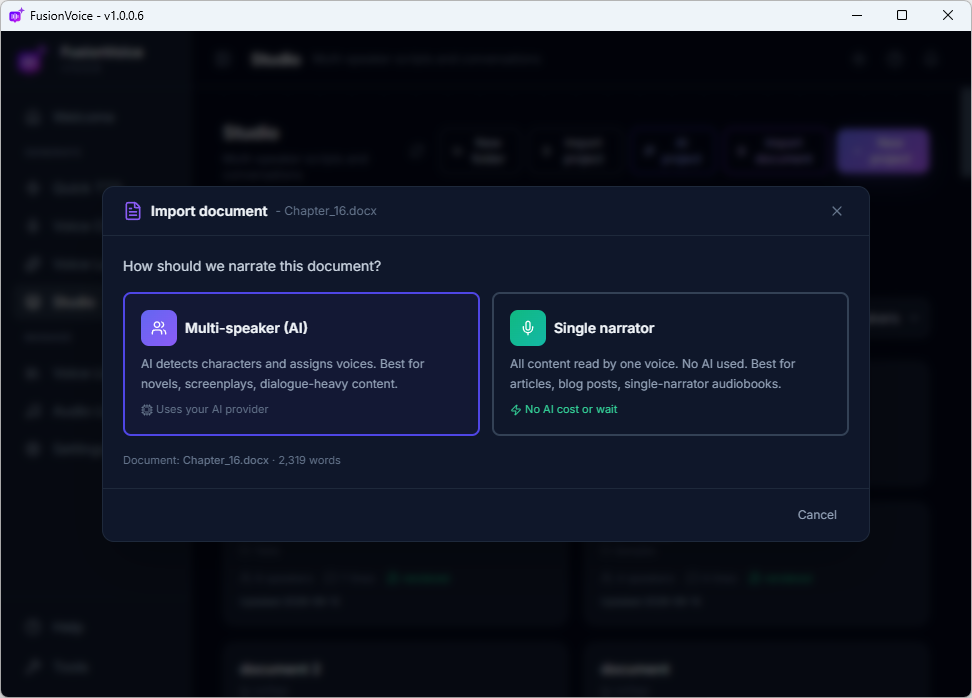
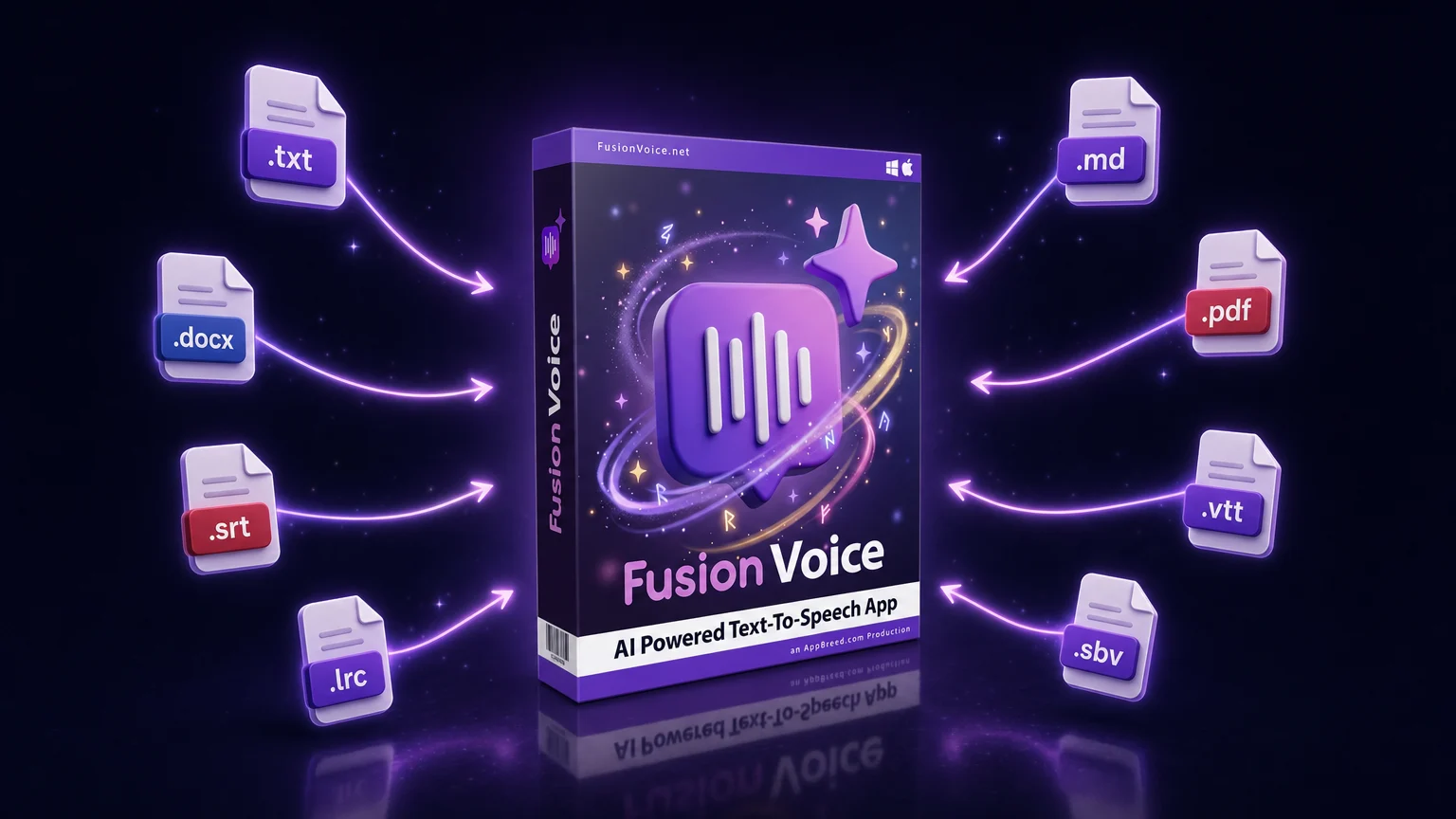
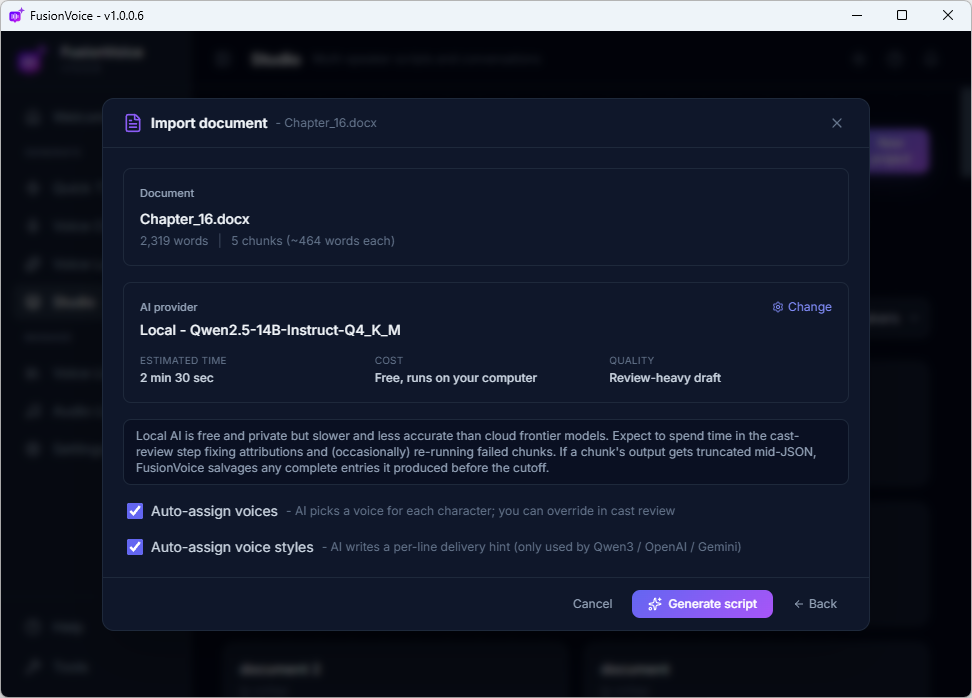
Drop in .txt, .md, .docx, or .pdf, even subtitle files (.srt/.vtt), so you can re-dub a video from its own captions. AI detects who's speaking and casts them, or renders it single-narrator.
📋
Paste text
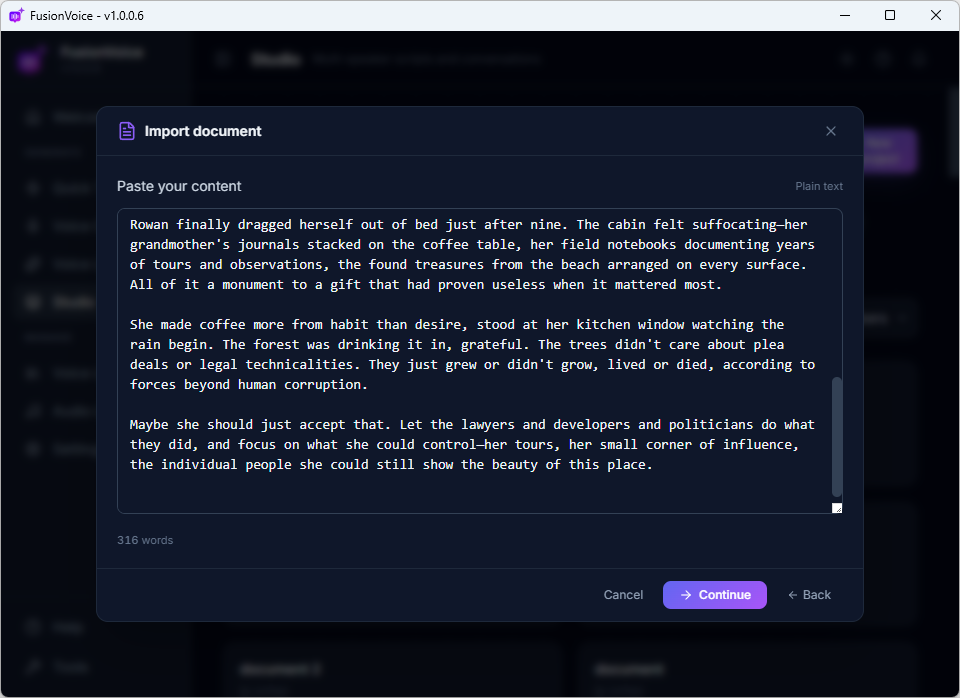
Paste anything, a blog post, a script, meeting notes, and Studio turns it into lines ready for casting.
📁
Projects that persist
Every production is saved as a project, reopen it next month, recast a speaker, regenerate one line, render again.
From sentence to sound
Type what you want. Click Generate. Done.
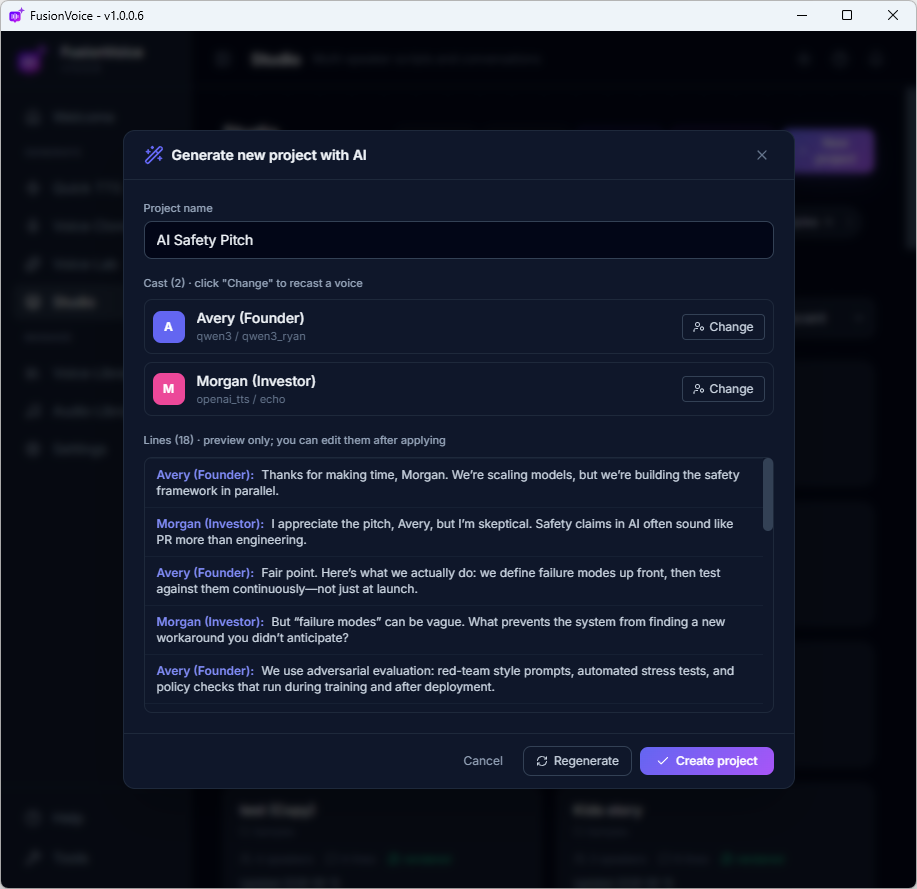
Tell Studio your idea, "a 3-person podcast about whether AI will replace creators." Seconds later there's a named project, a full script, and a voice cast for every speaker. Swap any voice, edit any line, or hit Regenerate for a fresh take.
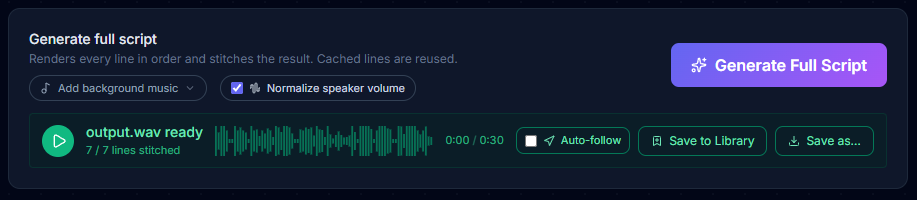
Then one click on Generate Full Script performs the whole thing: every line rendered in its assigned voice and style, speaker volumes matched, your music underneath, stitched into one finished file. Change a line later? Only that line re-renders.
Hear three finished productions below. ⬇
AI Project Draft3 speakers · 18 lines
NNarrator · warm, inviting introduction
MMaya · curious and optimistic
JJon · thoughtful, skeptical reply
“A 3-person podcast about whether AI will replace creators.”
"The Clockmaker's Watch", a true-crime style mini episode
A complete documentary-style cold case episode: narrator, two officers, a grieving relative, and an evidence technician, five distinct voices, tension score, and sound design. Every word typed. Every voice, every clock tick, produced in Studio.
🎙️ 5 voices🎬 Fully directed per line🎵 Music & SFX from built-in libraries📄 Original script. 100% fictional
🌊 "The Lighthouse" · audio drama
Three voices, rain, thunder & score, every voice from one free local engine (Qwen3-TTS).
🏀 "The Final Second" · live commentary
Whisper-tense to full eruption, local + Gemini in one booth, crowd from the built-in SFX library.
🎙️ "The Mid-Roll" · podcast + sponsor read
Two hosts, real banter, music bed, the segment your clients would pay for, typed over coffee.
Every word typed, never spoken. Every sound placed inside Studio, no audio editor involved.
5 Tool 05 · Audiobooks
Your book. Fully cast. Narrated overnight.
Everything Studio does, casting, per-line direction, one-click rendering, aimed at long-form work. Drop in a manuscript and get chapter-structured audio, as a dramatized full cast or a classic single narrator.
Eight formats in, .txt, .md, .docx, .pdf, plus caption & lyric files (.srt, .vtt, .lrc, .sbv). Finished audio out.
Book in, audiobook out
AI reads your manuscript like a casting director.
Import the document and the AI scans it: who's narrating, who's speaking, where every quote begins and ends. Each character gets a voice, pick them yourself or let it cast for you, and every line gets delivery direction from context.
Prefer tradition? Choose single narrator and one voice carries the whole book, audiobook-style. Either way it renders chapter by chapter, and a fixed typo re-renders one line, not the whole chapter.
One document. Two ways to hear it.
Both samples below started life as a plain document, read the source, then press play.
🎭 Full cast · "The Clockmaker's Secret"
AI detected the narrator and every character in the document, cast a distinct voice for each, and directed every line.
Read the source document
The Clockmaker's Secret. Chapter One
The shop at the end of Larkspur Lane had been closed for as long as anyone could remember. So when Mira saw the door standing open, she stopped so fast her boots skidded on the cobblestones.
Inside, a thousand clocks ticked out of rhythm, and an old man stood among them, winding each one with a tiny brass key.
"We're not open," said the clockmaker, without turning around.
"The door was," Mira said. "That's practically an invitation."
The old man chuckled, a sound like dry gears. "Curious and stubborn. You must be Elena's granddaughter."
Mira's breath caught. "You knew my grandmother?"
"Knew her?" He finally turned, and his eyes were bright as polished cogs. "She built half the clocks in this room. Including the one that hasn't stopped chiming since the night she vanished."
From the back of the shop, a deep chime rolled through the floorboards, once, twice, three times.
"That's impossible," Mira whispered. "There's no clock back there. I can see the whole room."
The clockmaker smiled and held out the little brass key.
"She said you'd notice that. Welcome to your inheritance, Mira."
📖 Single narrator · "The Last Ferry"
The same import, one voice: a classic audiobook read with pacing and tone directed by AI.
Read the source document
The Last Ferry. Chapter One
The ferry made its final crossing of the season on the last Sunday of October, and I had ridden it every year since I was nine years old. My father used to say the lake changed owners in winter, that it stopped belonging to the tourists and went back to belonging to the fog.
This year, I rode it alone.
The deck was empty except for a thermos of coffee going cold beside me and a suitcase I hadn't opened in eleven years. The ferryman didn't ask where I was headed. On the last crossing, there is only one place anyone is headed: the far shore, the shuttered cottages, the long quiet.
Halfway across, the fog came down the mountain like something poured from a pitcher, and the mainland disappeared behind us. For a moment there was no shore ahead and no shore behind, only gray water, the low thrum of the engine, and me.
My father made this crossing forty times. He never once told me what was in the suitcase.
Tonight, in the cottage where he was born, with the season's last light burning in the window, I am finally going to open it.
Powered by the same Studio engine, so everything you saw above (styles, translation, music, mixed engines) works on books too.
Local & private
Runs on your machine. Works offline. Clones never leave your disk.
The four local engines run on your CPU or GPU, no internet required for the core of your workflow. "Local" buys you three things money can't:
🔒
Privacy
Confidential client scripts and your own voice never touch a third-party server. No telemetry, no uploads, no data mining.
✈️
Reliability
On a plane, behind a corporate firewall, in a no-internet environment, your voice studio keeps working.
💾
Ownership
Voice clones are files on disk. Back them up, copy them, archive them, they're yours even if FusionVoice disappeared tomorrow.
Stay organized
Your voices. Your renders. One place.
Voice Library
Every cloned and designed voice, with engine, language, and an inline play button to audition. Your roster of custom voices is a real business asset, this is where it lives.
Audio Library
Every render, searchable and reusable. Export to WAV, MP3, FLAC, OGG, or M4A. No more "where did I save that take", and full backup & restore moves everything to a new machine in one zip.
If any of these sound like your week, FusionVoice pays for itself on the first project.
🎧
Podcasters
Stop paying $22/month just to use your intro voice three times. Clone it once, own it forever, direct it any way you want, and build multi-voice cold opens in Studio.
📖
Audiobook authors
Narrate a full-length book in an afternoon, chapter structure, character voices, consistent direction. Edit a paragraph, re-render seconds of audio instead of hours.
🎥
YouTube & short-form creators
Generate every voiceover for the next year in one app, with the right voice for each video, for less than a single month of a cloud subscription.
🎓
Course & e-learning creators
Design a brand voice that's exclusive to your course. Need to update module 7 next year? Re-render just that module, same voice, same delivery.
🌍
Localization & dubbing
Drop in an .srt subtitle file, translate every line in place, cast a voice per character, hit Generate. Dubbed audio in minutes, in 200 languages.
Also great for…
Indie game devs, marketing agencies with client-confidential scripts, accessibility creators, TTRPG & D&D storytellers, researchers, and writers who want to hear their drafts read back.
Do the math
One app. One payment. Replaces a stack of subscriptions.
Compare what $27, once, gets you against what the subscription tools charge every single month.
Feature
FusionVoice $27 one-time
ElevenLabs
Murf
Descript
Open-source DIY
Price model
One-time
Subscription
Subscription
Subscription
Free (setup-heavy)
Runs locally / offline
✓
✗
✗
✗
✓
Voice cloning included
✓
✓ (Creator+)
✗
✓ (Overdub)
Varies
Voice design from text
✓
✓
✗
✗
Limited
Multi-speaker projects
✓
Limited
✓
✓ (editor)
DIY
Per-line voice direction
✓
Sliders only
Presets
✗
None
AI script generation
✓
✗
✗
✗
DIY
Document → multi-voice audio
✓
Limited
✗
✗
DIY
Translation built in
✓ (200 languages)
Multilingual gen only
✗
✗
DIY
Cross-platform desktop
Win + Mac
Browser only
Browser only
Win + Mac
Linux-leaning
Voice clones stored locally
✓
✗
n/a
✗
✓
Free future updates
✓ ALL
Plan-dependent
Plan-dependent
Plan-dependent
✓
One year of ElevenLabs Creator: $264. One year of Murf: $228. FusionVoice: $27. Once.
Early users
What early users are saying
"I narrate all my faceless channel videos with a clone of my own voice now. Batch of 8 voiceovers on Sunday night, scheduled for the week, zero recording. It paid for itself before I finished the trial video."
Mark T. YouTube Automation Channel Owner
"I was paying $22/month for ElevenLabs and still rationing characters. I generated more audio in my first week with FusionVoice than my last three months on a subscription, and it ran on a 4-year-old laptop."
Sarah K. Course Creator & Online Coach
"The Studio tool is absurd. I typed one sentence describing my podcast topic and it wrote the script, cast three voices, and rendered the episode with music. My co-host doesn't exist. Nobody has noticed."
Devon R. Podcast Producer
"Client work means NDAs, and I could never send confidential scripts to a cloud TTS. Everything in FusionVoice stays on my machine, that alone closed the deal for me. The one-time price was just the bow on top."
Priya M. Freelance Video Editor
"I turned a 9-chapter novella into a full-cast audiobook over a weekend. The AI found every character in my manuscript and gave the narrator exactly the tone I heard in my head. I've quoted $600 for this exact service."
James W. Indie Fiction Author
"We localize product demos for six markets. Translate-all plus target-language voices took our turnaround from two weeks with agencies to one afternoon in-house. My boss thinks I hired a team."
Elena V. Marketing Manager, SaaS
"The seed trick is my favorite thing: design a voice on a premium engine, clone it locally, use it forever. I've built a stable of 14 custom voices that cost me nothing to run. That's a real business asset."
Carlos D. Affiliate Marketer
"I record sleep meditations, and my voice gives out before my upload schedule does. Now my clone reads the long scripts and honestly, with the style directions, it's calmer than I am on a good day."
Hannah B. Meditation & Wellness Creator
"37 NPCs voiced for my indie game for $27 total. Cast them in Studio, mixed two engines, exported WAVs straight into the build. The alternative quote from a voice agency had four digits in it."
Tom S. Indie Game Developer
A message from the developer
Hey, I'm Dave, an engineer (B.Eng., M.A.Sc.) and a long-time content creator. I built FusionVoice because I was tired of renting my own voice back from subscription tools: budgeting characters, watching my clones sit on someone else's servers, juggling three apps for one piece of audio.
FusionVoice is the tool I wanted for my own business: buy it once, run it on your own machine, own everything you make with it. I use it every day, I support it personally, and every update is free. If it's not for you, my 30-day guarantee means you get your money back, no hard feelings.
Free bonuses
Order today and also get all 8 of these
Not filler PDFs, a complete profit library built around FusionVoice: swipe files, business systems, and done-for-you content with commercial rights.
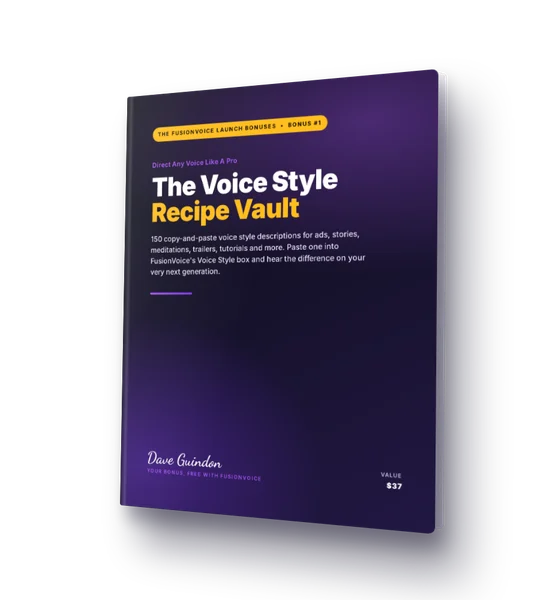
#1 · The Voice Style Recipe Vault
150 copy-and-paste voice style descriptions, ads, audiobooks, meditations, trailers, cartoons, ready for the Voice Style box.
$37 value, included free
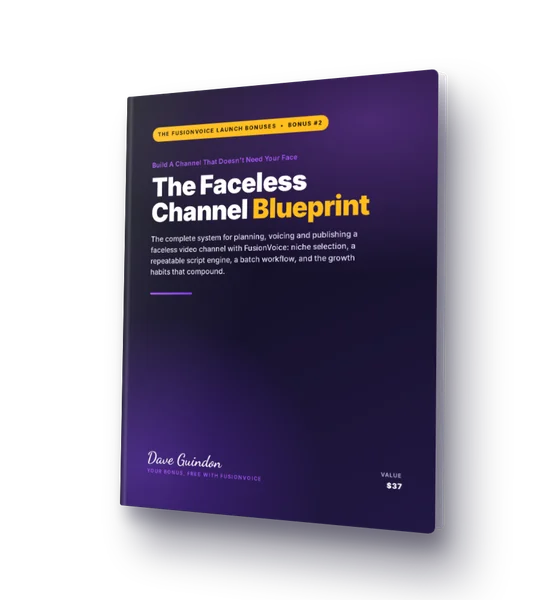
#2 · The Faceless Channel Blueprint
The complete faceless-channel system: niche filter, script engine, batch workflow, and a first-month action plan, narrated by FusionVoice.
$37 value, included free
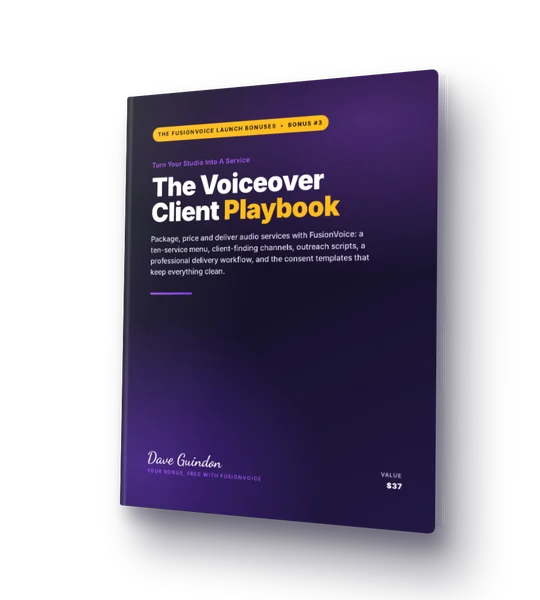
#3 · The Voiceover Client Playbook
Turn your studio into a service: a ten-service menu, pricing packages, outreach scripts that get replies, and every client template you need.
$37 value, included free
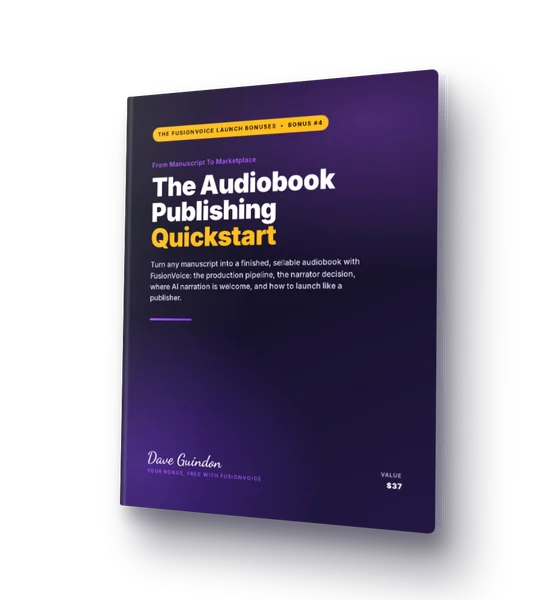
#4 · The Audiobook Publishing Quickstart
Manuscript to sellable audiobook: the full production pipeline, the narrator decision, and the honest map of where AI narration is welcome.
$37 value, included free
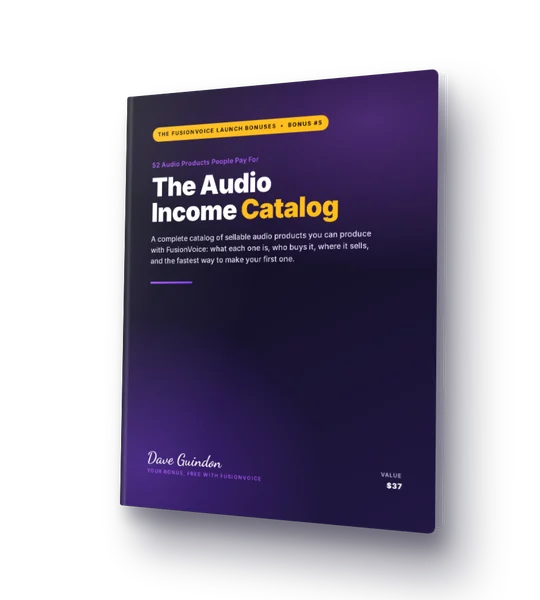
#5 · The Audio Income Catalog
52 audio products people actually pay for, across seven markets, each with the buyer, where it sells, and the fastest route to a first sale.
$37 value, included free
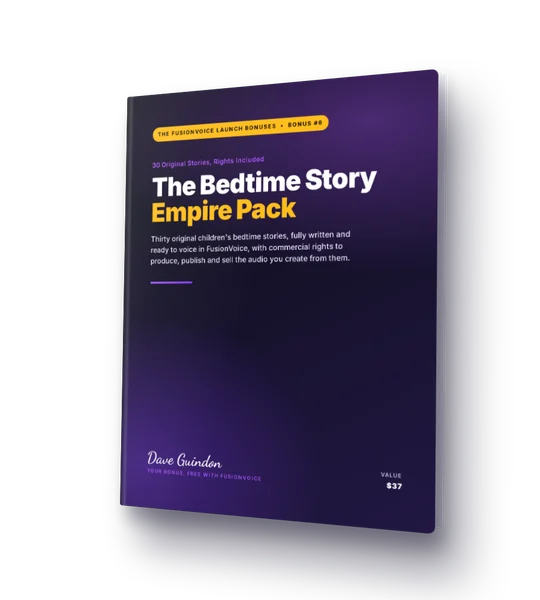
#6 · The Bedtime Story Empire Pack
30 original children's bedtime stories, written for Studio's multi-speaker casting, with commercial rights to sell every recording you make.
$37 value, included free
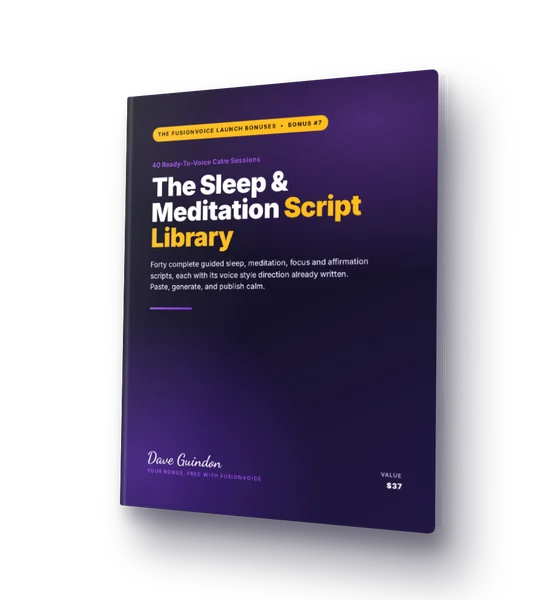
#7 · The Sleep & Meditation Script Library
40 complete calm sessions, sleep, morning, stress, focus, affirmations, with voice style directions written in and rights included.
$37 value, included free
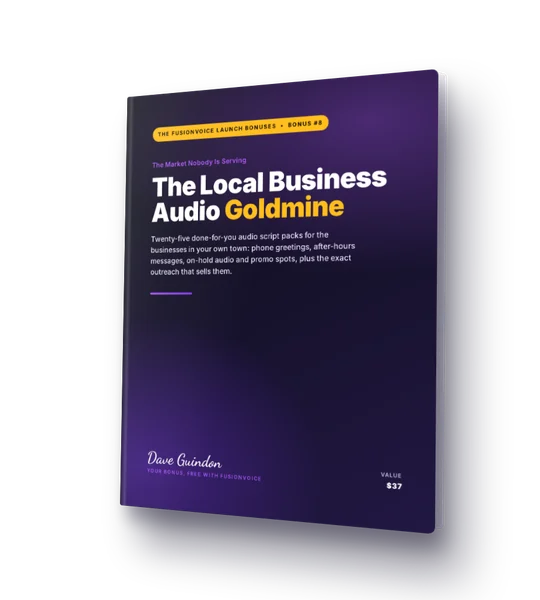
#8 · The Local Business Audio Goldmine
25 fill-in script packs for the businesses on your street, greetings, on-hold, promo spots, plus the demo-first system that sells them.
$37 value, included free
$296 in bonuses. Free with your license.
All eight delivered instantly with your FusionVoice download, evergreen guides and content you can use the same day.
No upsells. No OTOs. No surprise offers. The moment you complete your order, you go straight to your download page. Just your software, ready to go.
From my software community
A new app from a developer people already trust
FusionVoice is brand new, but I'm not. For years, my customers have backed my software on BuyMeACoffee. Here's what they say about me and the tools I build, because when you buy from me, that's who you're buying from.
"Dave is the most honest and amazing software developer! Kudos!"
GE
George
☕ Supporter on BuyMeACoffee
"I've stayed on your list for YEARS, because your integrity and faithfulness to producing amazing software is unparalleled."
DM
danzymarketing
☕ Supporter on BuyMeACoffee
"I buy everything you invent. Best and most trustworthy software developer ever."
SS
Susan Stroud
☕ Supporter on BuyMeACoffee
"All your products are outstanding. You're the ONLY software developer whose products I buy every time, because they never let me down!"
DD
DrDeb
☕ Supporter on BuyMeACoffee
"Dave keeps on giving with his software development. Must be his passion. Really appreciate all the software he develops to make my life easier as a digital marketer since 1991. 5 stars Dave!"
BS
Boyd Staszewski
☕ Supporter on BuyMeACoffee
"Your TubeAtlas and ScriptAtlas are the best two pieces of software I have bought in two decades of online marketing. No doubt you have something else in the pipeline!"
KS
Keith Stanford
☕ Supporter on BuyMeACoffee
"Dave, you're not just one of the best software developers out there, but also an honest person who keeps his word. Thank you for everything!"
BD
Bahar Ari Dellenbach
☕ Supporter on BuyMeACoffee
"The software is awesome. I have damn near every one of them you have made."
CW
Corey E. Wilkinson
☕ Supporter on BuyMeACoffee
"Thanks for continually updating the software. I've bought other software where they promise to keep updating it, but they never do."
SW
Shawn Wideman
☕ Supporter on BuyMeACoffee
"Thanks for making my life easier! The software update is just what I was waiting for, and allowed me to cancel another subscription."
MH
makehealthyrecipes
☕ Supporter on BuyMeACoffee
"The products you develop are exceptional, along with your tutorials on how to use your software. Second to none."
MM
Mike Marcolin
☕ Supporter on BuyMeACoffee
"Dave, you are a genius and a very generous person."
Install it. Clone a voice. Build a Studio project. Render an audiobook chapter. Put it through a real month of work.
If it's not for you, for any reason, email support within 30 days and you get a full refund. No forms, no "exit interviews," no hard feelings. You take zero risk; we take all of it.
Kokoro and Piper install with the base app. Larger engines and translation tools are optional, on-demand downloads.
Windows
Windows 10 / 11
Mac
macOS 14+ · Apple Silicon
Memory
8 GB min · 16 GB recommended
GPU
Not required for most engines
Linux / Mobile
Not supported in v1
License
Commercial use · up to 10 installs
Questions, answered honestly
Frequently asked questions
Straight answers, including the limits. You should know exactly what you're buying.
How much does it cost?
FusionVoice is a one-time purchase: $67 regular, $27 during the phase 1 discount the with coupon VOICE40. No subscription, no per-character billing, ever. The optional cloud engines (OpenAI, Gemini, ElevenLabs) bill through your own API key at the provider's prices. FusionVoice adds no markup.
Is there a free trial?
No trial, instead, a 30-day money-back guarantee. Use the full app for a month; if it's not for you, you get a complete refund. That's better than a limited trial: nothing is gated.
Are updates free?
Yes. Every v1.x.x update, new features, new engines, new languages, bug fixes, is free for the life of version 1. A future v2, if it ships, would be a separate purchase or paid upgrade. We release between 30 to 80 updates spanning 1-2 years for a given major version. In fact, every time you open the software, it will automatically check for new updates and provide you with a download button.
Can I use the audio commercially?
Yes, your one-time purchase covers commercial use of the app, and the four local engines are all Apache-2.0 licensed and free for commercial work. Cloud engines (OpenAI, Gemini, ElevenLabs) follow their own commercial terms tied to your API key.
Do I need an NVIDIA GPU?
Mostly no. Three of the four local engines (Kokoro, Piper, OmniVoice) run on a normal CPU. The fourth, Qwen3-TTS, needs an NVIDIA GPU with a CUDA 12 driver on Windows, or runs on the GPU of any Apple Silicon Mac. Without it, the other engines and all cloud options still work fully.
How much disk space and RAM?
The base app is about 200 MB and ships ready to use. Optional packs install on demand: local AI (~2 GB), OmniVoice (~600 MB), Qwen3-TTS (~2.5 GB), translation (~1.5 GB). 8 GB RAM is the minimum; 16 GB is recommended for the larger engines.
Does it support my language?
Almost certainly, if your language has a million-plus speakers. Kokoro covers ~10 major languages, Piper has 90+ language packs, OmniVoice claims 600+, Qwen3-TTS covers 10 flagship languages, and the cloud engines are multilingual. Quality varies on low-resource languages, audition with the one-click sample button before committing.
Windows and Mac only? What about Linux / mobile / Chromebook?
v1 is Windows 10/11 and macOS 14+ only. No Linux, iPad, Android, or Chromebook for the current version. Linux is a possibility for v2, no commitment yet.
Is the Mac version native Apple Silicon?
Yes, native ARM64, no Rosetta translation, full native performance on M1 through M4. Note: Intel Macs are not supported; the minimum is macOS 14 on Apple Silicon.
Do you collect my data?
No. The app runs locally with no telemetry shipping your scripts or audio anywhere. Cloud engines only see what you explicitly send them, directly on your own API key.
What about voice-cloning consent?
You're responsible for getting consent before cloning someone's voice. Your own voice is always fair game; for anyone else, get written permission. The in-app help points to safe, legally-clear sources for practice voices.
Can I use the audio on YouTube / TikTok / Spotify? What about ACX / Audible?
Generally yes, most platforms accept AI voiceovers in non-music content. Audiobook distributors like ACX have their own evolving AI-narration policies; check their current rules before submitting AI-narrated books.
Can I edit the generated audio?
A trim tool is built in for cutting silence and unwanted segments, and Studio handles stitching, pauses, and volume normalization.
What happens to my voices if FusionVoice goes away?
Nothing, they're files on your disk. Your clones, designed voices, renders, and projects are plain local files you own. There's no service to disappear from. That's one awesome advantage you get with FusionVoice.
Still on the fence? The guarantee makes it a free decision.